TimeTrakGO Logo
Face Recognition Time Clock App2026-07-23T20:20:39+00:00

Face Recognition Time Clock App

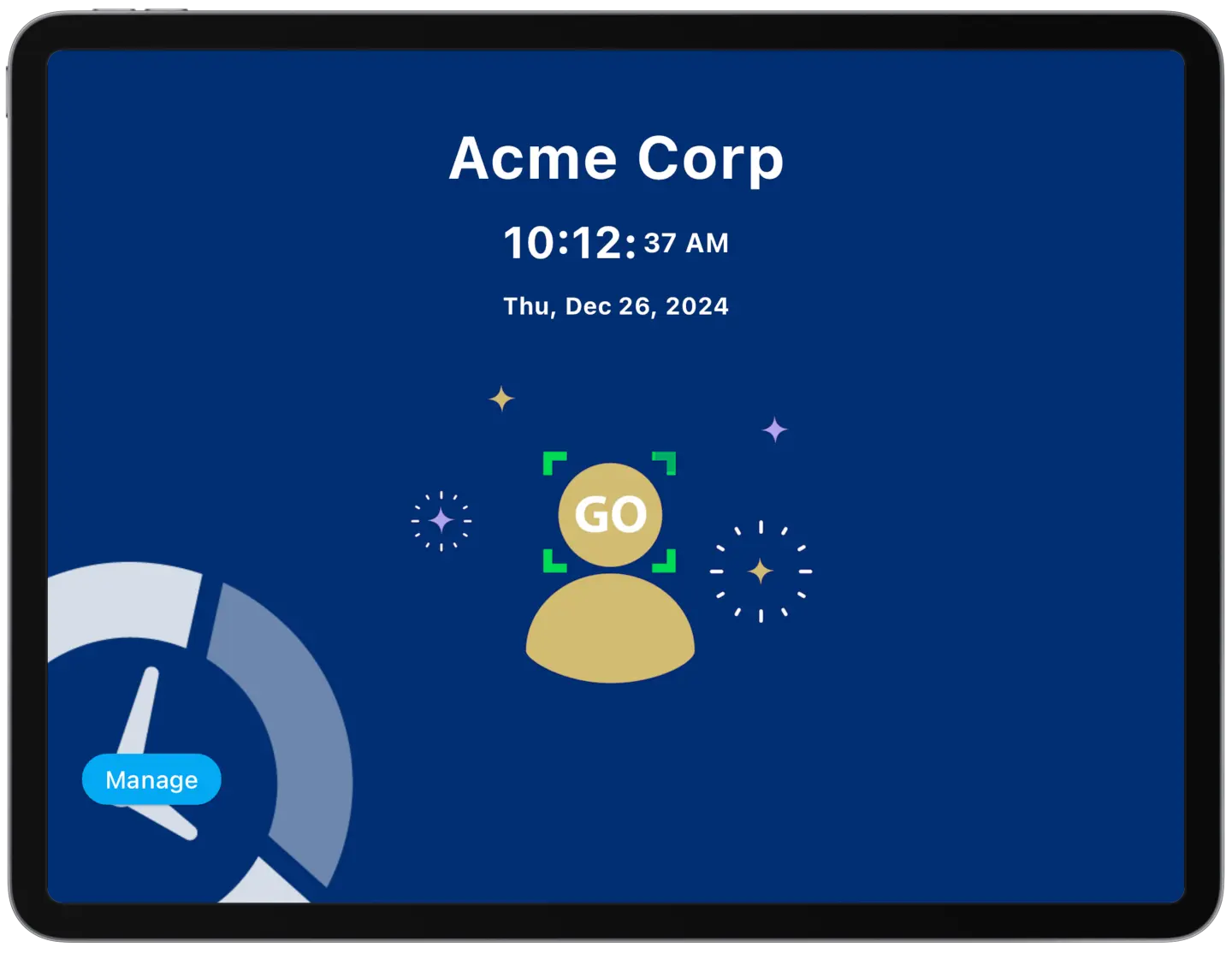
Turn an ordinary tablet into a simple facial recognition time clock in just minutes!

TimeTrakGO offers a modern facial recognition time clock system that turns readily available devices like iPads or Android tablets into a secure biometric time clock, no expensive hardware required.

Our time clock app verifies employee identities through facial recognition, giving employees a simple, fast way to clock in and out.

Within minutes, any tablet can be transformed into a facial recognition time clock device.

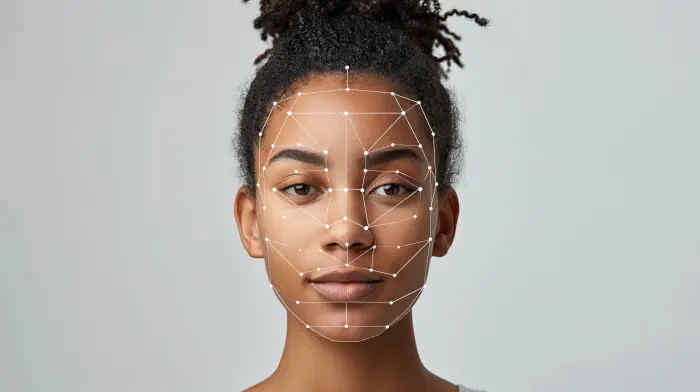
facial recognition time clock on tablet

Easily Clock In and Out with Facial ID

Employees simply walk up to the tablet, our advanced facial recognition technology identifies them in under a second, and they can instantly clock in or out.

This lightning-fast process not only streamlines clocking but also reduces the risk of buddy punching, since biometric identification can’t be shared or borrowed like a badge or PIN.

TimeTrakGO offers a cost-effective, secure biometric time clock solution that empowers your workforce.

time clock software errors

Simplify Employee Time Tracking

Try Free for 14-days

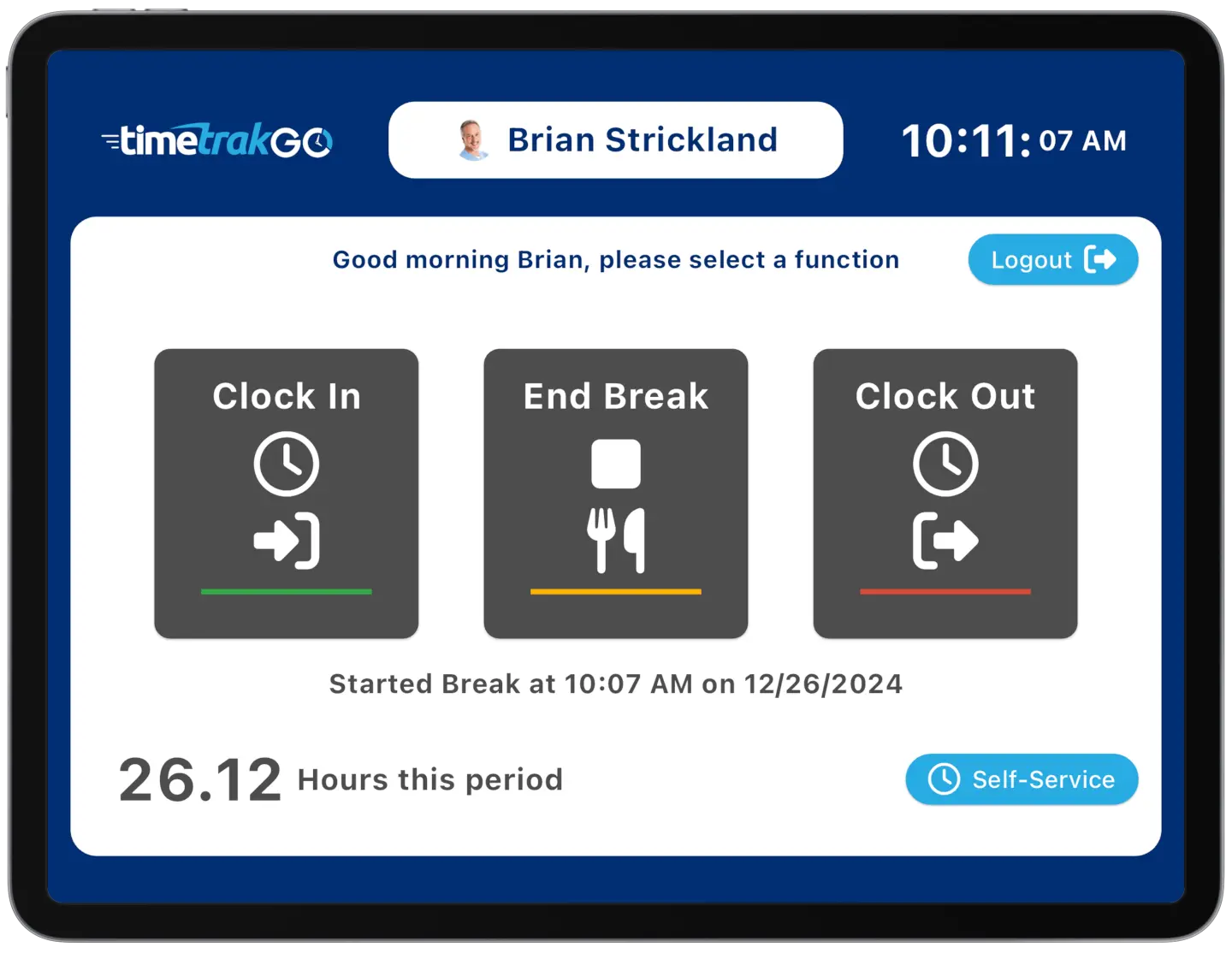
Simple Employee Self-Service

Self-service feature empowers employees to take control of their time. They can easily view their daily, weekly, and pay period hours directly on the time clock device.

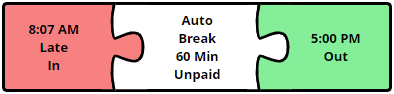
Our unique graphical employee time cards provide a clear and visual representation of individual punches, eliminating confusion and saving you time reconciling discrepancies.
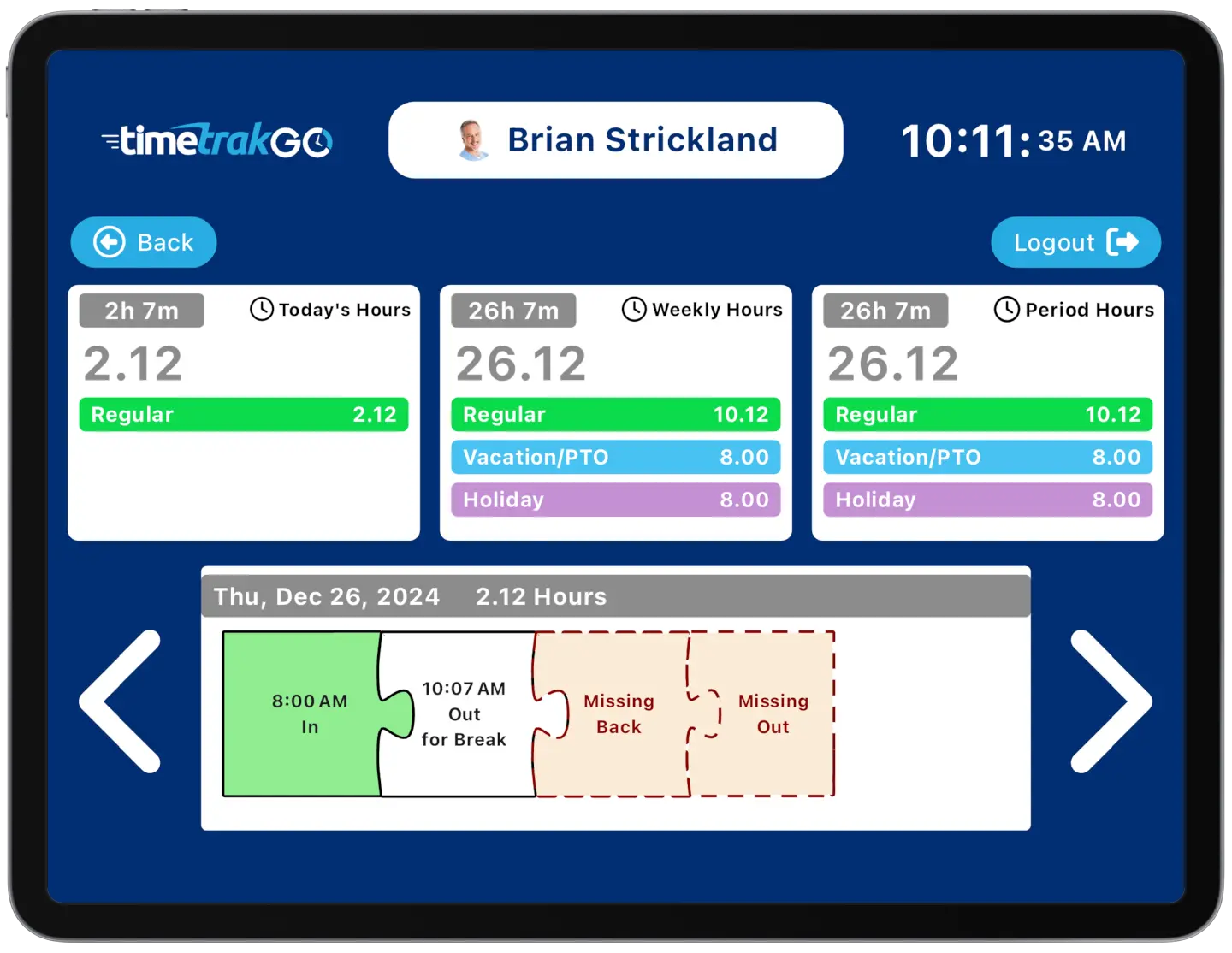
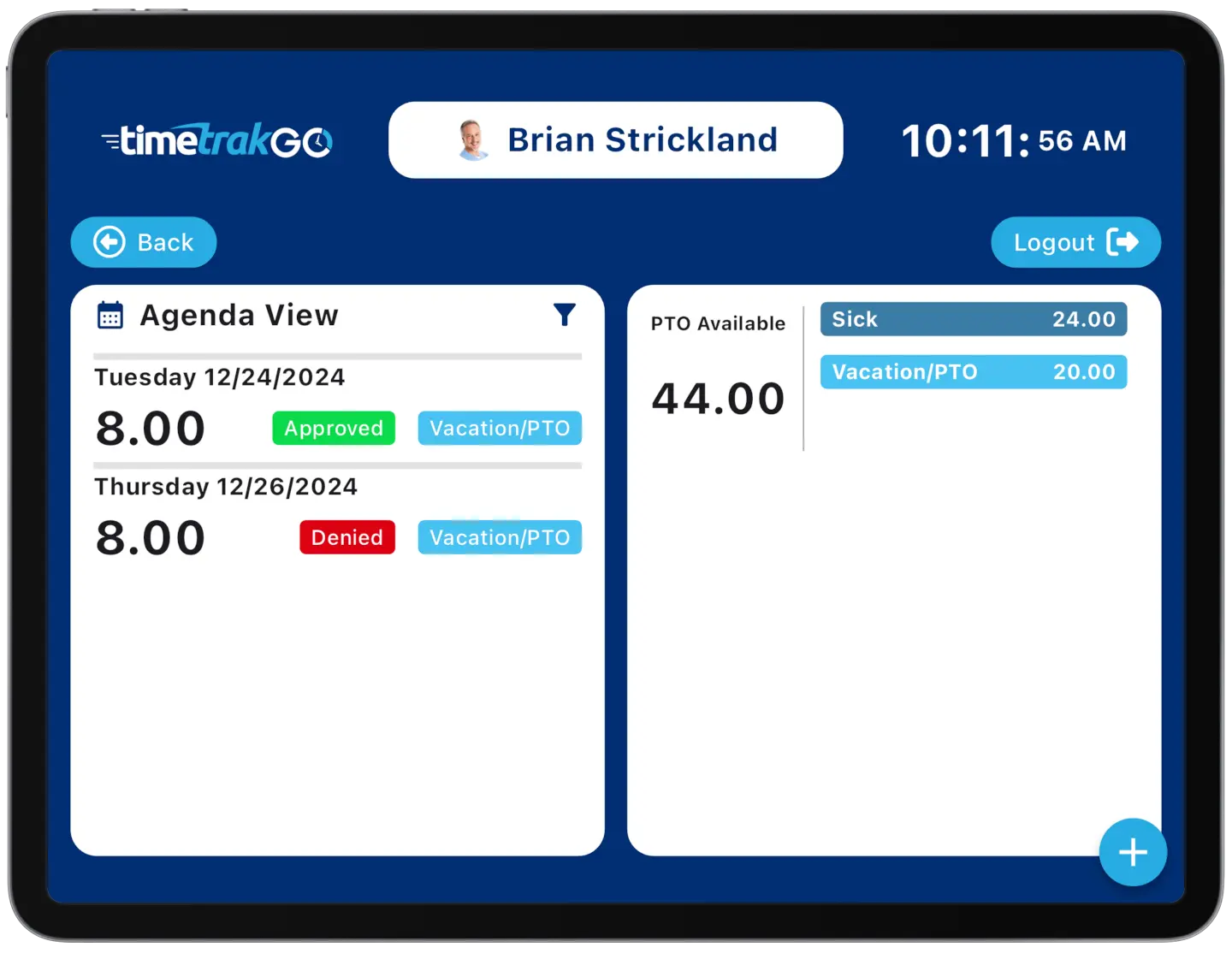
intuitive employee self-service features

Time Off Requests

Our new time off request feature empowers employees to easily submit their time off requests, track their upcoming time off, and monitor their PTO accrual balances directly from the time clock.

With detailed insights into available, committed, taken, and earned time, employees can plan their time off with confidence.

Replaces Traditional Time Clocks

Our innovative facial recognition time clock app streamlines your payroll process and empowers employees with self-service features.

Imagine sleek tablets replacing bulky, outdated hardware. Employees clock in and out effortlessly with just a smile, and you get real-time biometric attendance data anytime, anywhere. Ready to modernize your time clock?

Contact us today to learn how our facial recognition time clock app can streamline your employee time tracking.

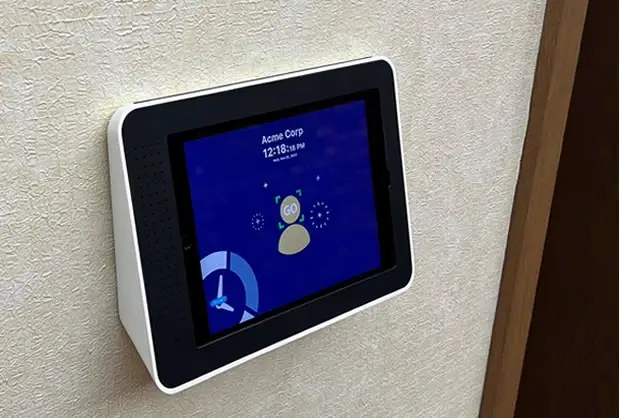
wall mounted face recognition time clock
facial recognition data privacy

Biometric Data Privacy and Compliance

Facial recognition relies on biometric data, which means it’s treated differently under the law than a PIN or badge. States including Illinois, Texas, and Washington have specific requirements around collecting and storing biometric data, often including written notice or employee consent before enrollment.

TimeTrakGO maintains a dedicated Biometric Data Privacy Policy that explains how facial recognition data is collected, stored, and protected. If your business operates in a state with biometric privacy requirements, we’d recommend reviewing that policy and checking with your own legal counsel before rolling out facial recognition time clocks.

Biometric Data Privacy Policy

Additional Time Clock Features

TimeTrakGO offers several additional key features designed to streamline time tracking, attendance management, and payroll processes for businesses

  • Employee Self-Service: Allows employees to view their own timecards, schedules, leave balances, and request time off.
  • Role-Based Access: Different security levels of access for administrators, supervisors, employees, and custom roles.
  • Payroll Integration: Automatically calculates hours worked, including overtime, and integrates with many popular payroll systems.
  • Audit Trails: Maintains change records of employee punch detail as well as user profile changes.
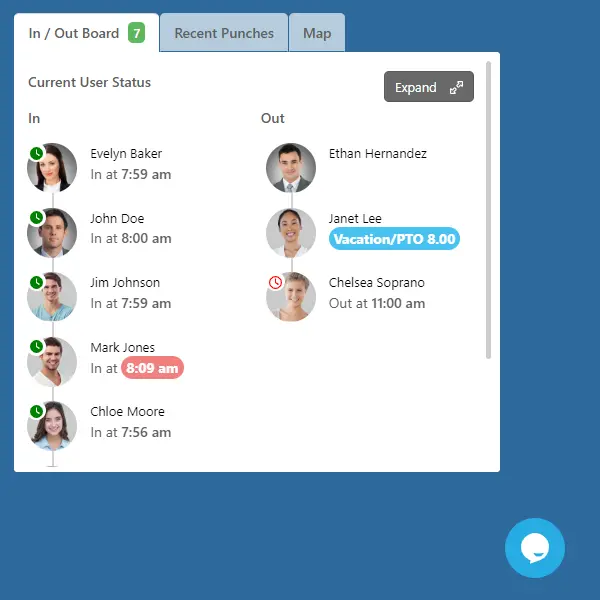
employee time clock In and Out Board

Facial Recognition Time Clock App : Frequently Asked Questions

Is facial recognition time tracking legal for my business?2026-07-22T17:32:30+00:00

In most states, yes. A handful of states, including Illinois, have specific biometric privacy laws that may require written notice or employee consent before you start collecting facial recognition data. Check your state’s requirements or your legal counsel before enrolling employees.

Does it work on multiple devices?2024-12-02T16:18:55+00:00

Yes, our time clock app for iOS and Android devices allows you to activate as many devices as needed.

Can it be mounted to the wall?2024-12-02T16:18:55+00:00

Certainly! In the modern era, it has become a prevalent practice to affix regular tablets securely to walls, employing them as versatile kiosks for a wide range of purposes. These applications commonly include point-of-sale systems, visitor management software, smart home controls, and employee time clocks. If you’re considering wall-mounting your tablet, we recommend visiting reputable websites such as maclocks.com or bouncepad.com to explore the options available to you.

Can I prevent access to other Apps?2024-12-02T16:18:55+00:00

Absolutely! This is a common apprehension we encounter when individuals contemplate using a tablet for their employee time clock. Apple iPads offer a feature known as Guided Access, which effectively locks any app onto the screen and enforces added security through a PIN. On the Android side, there’s a similar feature called App Pinning, which, when activated, thwarts any attempts to exit the app or access the “swipe down” menu. Your tablet is in safe hands with these protective measures in place.

What Tablet should I use?2024-12-02T16:18:55+00:00

At TimeTrakGO, we highly recommend utilizing a premium tablet, such as an Apple iPad or a Samsung Android Tablet. However, even more budget-friendly Android tablets are fully compatible with TimeTrakGO. For the best user experience, it’s ideal to choose a tablet with a screen size of 9 inches or larger.

We do not currently support Amazon Fire Tablets.

Is it fast and easy for employees?2026-07-22T18:09:11+00:00

Yes! The TimeTrakGO Kiosk App is built for speed no matter how your employees clock in. A tap-and-go method like PIN entry or facial recognition takes just a second or two, much faster than fumbling with a badge or lining up a fingerprint scan. Employees tend to prefer whichever method feels most familiar to them.”

Can I really use a tablet as a time clock?2026-07-21T15:59:25+00:00

Yes, TimeTrakGO Kiosk time clock app transforms your iPad or Android device into a simple employee time clock with PIN entry or optional facial recognition in just minutes. No expensive hardware is needed. Download it for free on Apple App Store or Google Play

TimeTrakGO
Time Clock Software Benefits

Employee Time Clock Options

Integrate various clocking options for your entire workforce.

Mobile App

Time clock app for iPhone and Android devices.

Web-Based

Browser-based virtual time clock for employees.

Tablet App

Turn an ordinary tablet into a traditional employee time clock.

Fingerprint

Dedicated physical time clock device with Fingerprint.

RFID Card

Dedicated physical time clock device with RFID Proximity cards.

Finally, employee time clock software that’s simple to use.

Capterra
Shortlist
2026

Software Advice
Best Customer Support
2025

Software Advice
Front Runners
2026

Capterra
Best Value
2026