
Online Employee Time Clock System
A secure, web-based time clock your employees log into from any browser, no app download, no dedicated hardware.
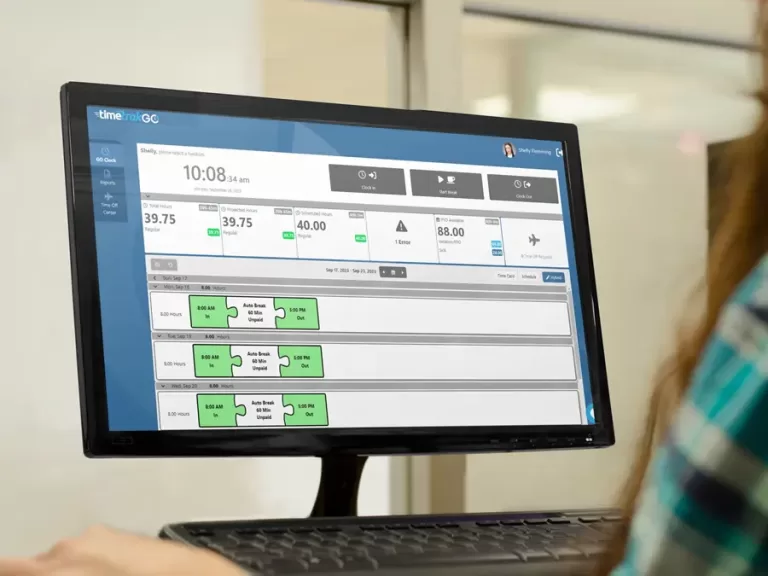
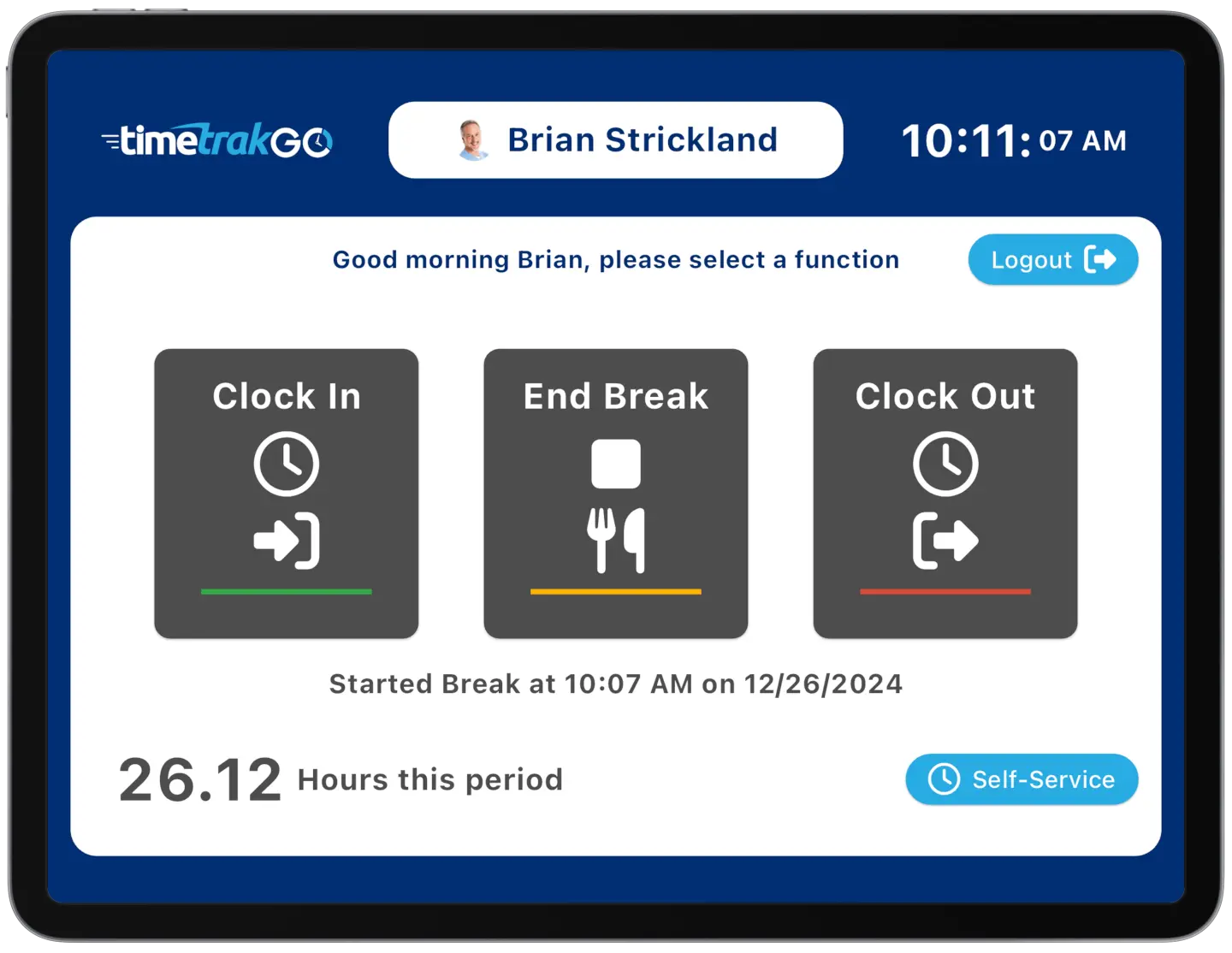
TimeTrakGO’s online time clock lets employees clock in and out right from a web browser, on a shared office computer, a laptop, or their own device.
Employees can clock in or out and review their recorded hours from a connected device. Managers can see submitted punches on employee time cards without collecting paper timesheets or entering the hours by hand
Cloud Based Employee Time Clock
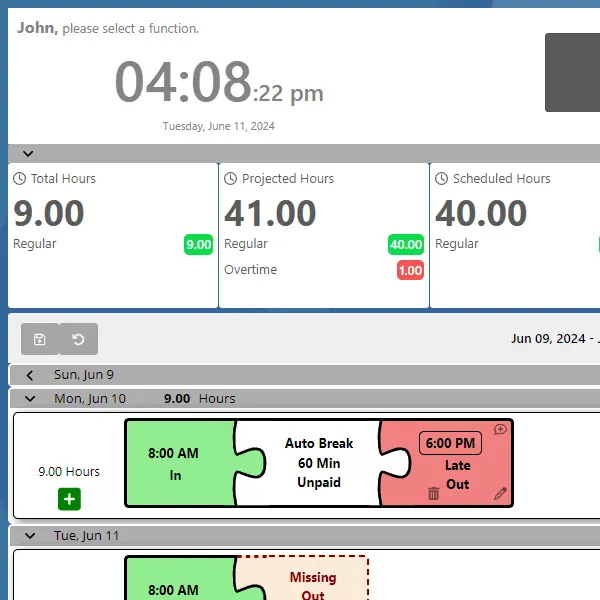
With one click from a web browser, employees clock in and out, no paper timesheets, no forgotten punches, no separate software to install.
Employees get real-time access to their total hours worked, scheduled shifts, and projected overtime, so they always know where they stand.
Managers get the same visibility: spot scheduling conflicts and overtime issues early, and keep team workloads balanced before problems show up in payroll.
Secured with Device Authorization
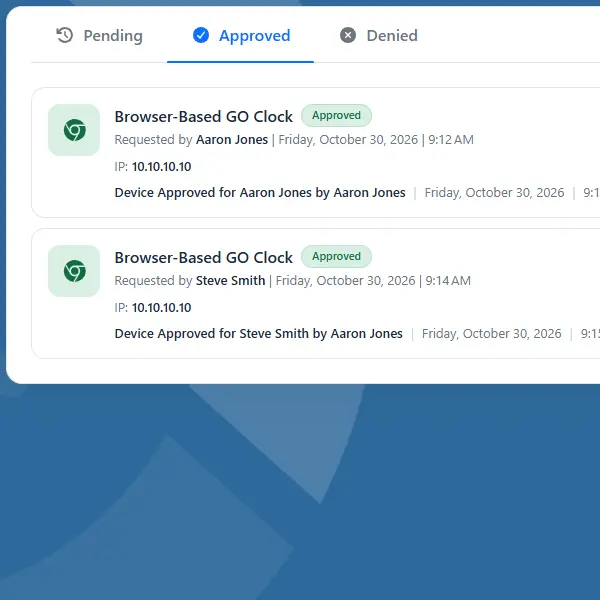
Built-in device authorization keeps your online time clock secure. Create a whitelist of approved computers or IP addresses, so only recognized devices can clock in.
This locks out unauthorized punches from unapproved locations or browsers, so the hours in your reports are the hours your team actually worked.
Real-Time Data
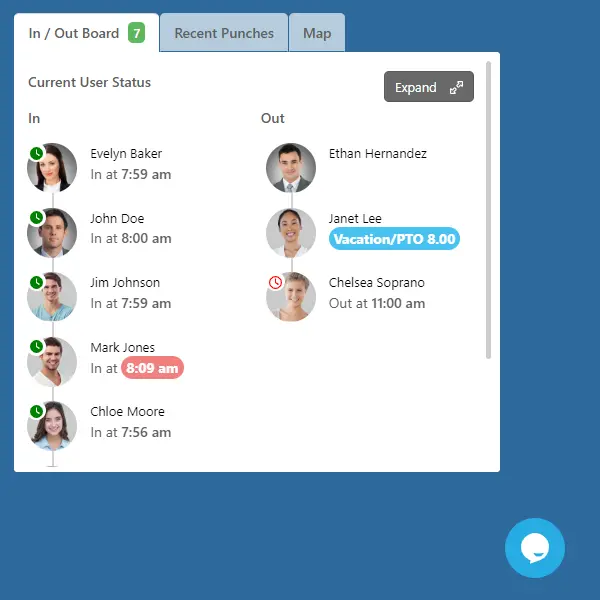
Our employee time clock software dashboard provides real-time reports, giving you complete control over your workforce and streamlining payroll processing.
- Live In/Out Board: Monitor employee activity as it happens, see who’s currently clocked in, out on break, or yet to arrive.
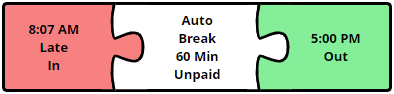
- Error Detection: The system automatically flags potential errors in real time, so you can correct them before payroll instead of after.
- Individual Employee Hours: Every employee is listed with total hours by pay code, ready for review.
Cloud-based Access from Anywhere
Because it runs in the cloud, your online time clock is always up to date and accessible the moment you need it, no software installs, no manual updates, no IT involvement.
Log in from your office computer today and a different device tomorrow; your data follows you. If your team is fully remote or hybrid, this same web login works from home just as well as it does in the office, see our dedicated remote time tracking guide for that use case.
Versatile Features for Every Workforce
Whether you lead a small team or a large organization, our online employee time clock system adapts to your specific requirements.
- Scalable Access: Works for teams of any size, from a handful of employees to a large, multi-location workforce.
- PTO and Payroll Tools: Manage PTO balances, employee time-off requests, and payroll integrations alongside employee time tracking.
- Convenient Self-Service: Employees can view PTO balances, request time off, and check their own punch history right from the same browser they use to clock in.
That combination of security, real-time visibility, and easy browser access is why businesses looking for the best employee time clock online keep coming back to TimeTrakGO.
TimeTrakGO
Time Clock Software Benefits
Simple Payroll Integration
TimeTrakGO exports verified hours straight to your payroll provider, cutting out manual re-entry and the errors that come with it.
Because pay is based on actual clocked time, you’re not covering for early clock-ins or late clock-outs that never happened, and any rounding rules you set are applied the same way every time instead of estimated by hand.
Payroll integrations include ADP, Paychex, QuickBooks, Paylocity, Heartland, Sage 50, and Gusto.

Payroll Integrations
Integrate TimeTrakGO with leading payroll services like ADP, Paychex, QuickBooks Desktop, Gusto, and more.
Free Onboarding Assistance
We offer free setup and training for all customers, making it easy for businesses of any size to get started.
Employee Time Clock Options
Integrate various clocking options for your entire workforce.
