
Schedule Templates That Catch Errors Automatically
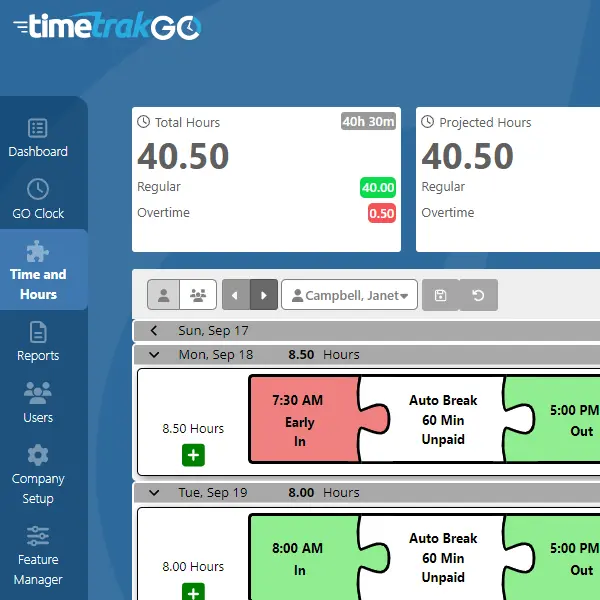
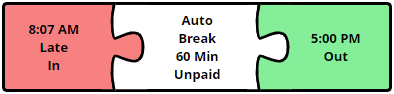
Build a schedule template for each shift and assign it to your team. Once a schedule is in place, TimeTrakGO uses it as the reference point for your time cards, automatically flagging early or late arrivals, early or late departures, and short or long lunches with color-coded alerts.
This proactive approach lets you catch mistakes before they impact payroll processing, and gives you an early view of attendance patterns across your team.
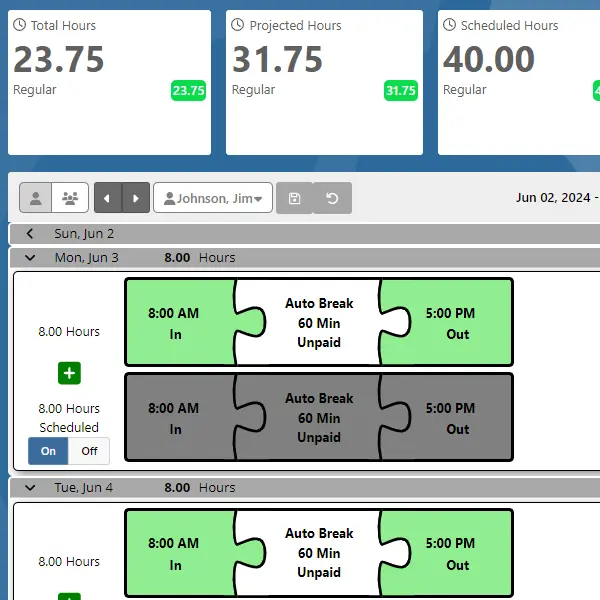
Edit Schedules the Same Way You Edit Time Cards
Daily schedules use the same graphical interface as our time cards, so if your team already knows how to review a time card, they already know how to update a schedule.
Need to adjust the whole team at once? Our group edit view lets you modify everyone’s schedule day by day from a single screen instead of opening each employee one at a time.
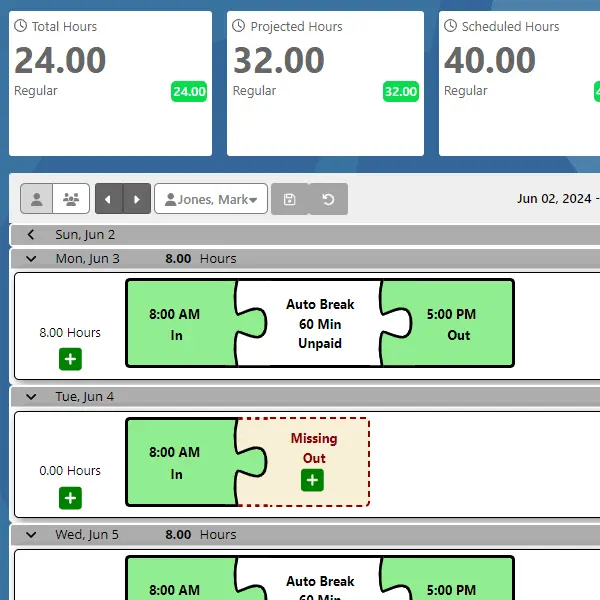
1-Click Editing of Missing Punches
Because TimeTrakGO already knows the schedule, fixing a missed punch takes one click. If an employee forgot to clock in, one click inserts their scheduled start time onto the time card, no manual lookup or guessing required.
That cuts down the time you spend chasing down and correcting timesheets every pay period.
Projected Hours Help Prevent Overtime
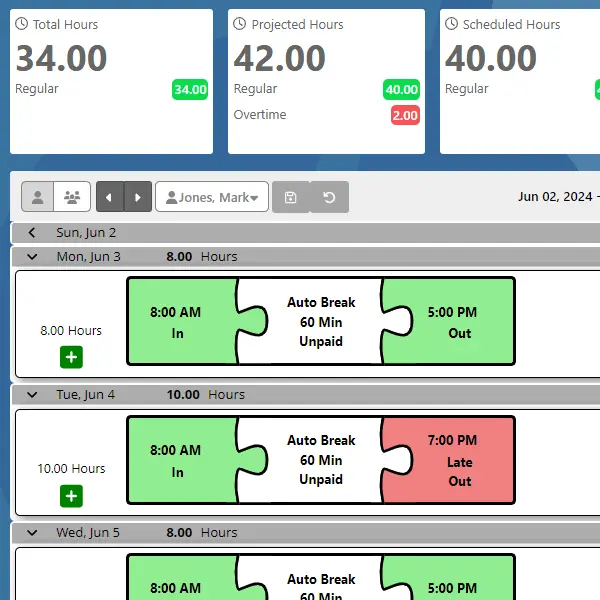
Your schedule also feeds TimeTrakGO’s projected hours feature, which estimates a full week’s hours based on what’s already been worked and what’s still scheduled.
For example, if an employee is scheduled 8 hours a day, Monday through Friday, and stays an hour late on Tuesday, TimeTrakGO immediately projects 40 regular hours and 1 hour of overtime for the week, assuming the rest of the schedule holds.
That gives supervisors time to adjust the remaining schedule and head off the overtime before it happens, instead of finding out after payroll runs.
TimeTrakGO
Time Clock Software Benefits
Employee Time Clock Options
Integrate various clocking options for your entire workforce.
