Mobile Employee Time Clock App with GPS for Field Teams
One-Tap GPS Time Clock App for Field Employees. Location verified, geofence protected, and ready for any job site
Field employees move fast. Paper timesheets, manual punch cards, and phone-in hours don’t keep up. TimeTrakGO gives your mobile workforce a one-tap clock-in with GPS verification and geofence protection, so your payroll data is accurate before the job site is even packed up
GPS and geofencing catch fraudulent punches before they ever reach your payroll.
TimeTrakGO is a time tracking app for iPhone and Android, available now with no hardware required.
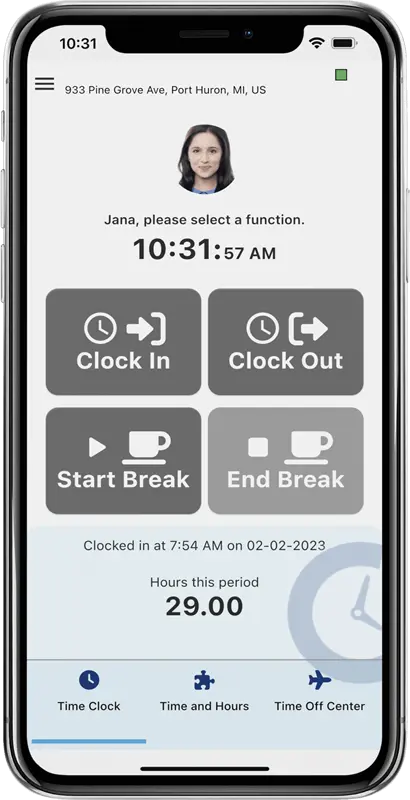
Thank you TimeTrakGO!
“The chat feature is manned by real people who write back quickly with screenshots and specifics on how to do anything you might be stuck on.”
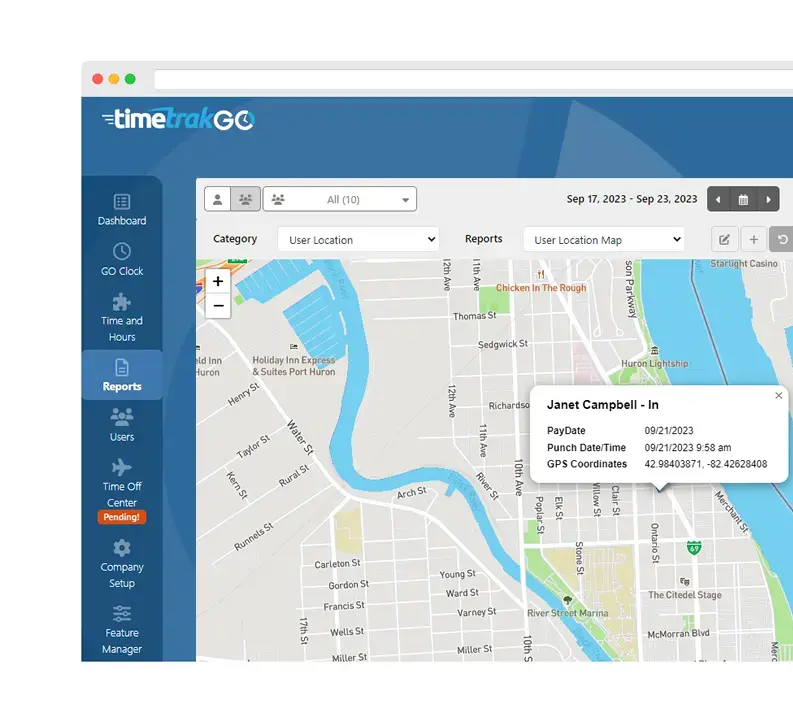
GPS Location Detail
Every clock-in and clock-out captures the employee’s exact GPS coordinates, accurate to within a few meters. That location is tied directly to the time punch, giving you a verified, timestamped record you can point to if a dispute ever comes up.
Managers can view field employees’ recorded punch locations on a map. Each GPS-enabled punch provides a location record that can be reviewed from the dashboard.
Location is only captured at the moment of the punch. There is no background tracking, no battery drain, and no surveillance software running on your employees’ personal phones between shifts. This is a distinction your team will appreciate when you roll out the app.
Geofencing: Stop Time Theft Before It Starts
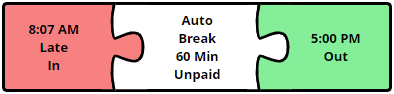
Geofencing draws a virtual boundary around your job sites, client locations, or office buildings. When an employee tries to clock in, the app checks their GPS location against that boundary. If they are not on-site, the punch is blocked or flagged before it ever hits your timecard.
You can set up multiple geofences, each with its own rules and employee restrictions. A crew assigned to Job Site A cannot clock in at Job Site B.
For employees who legitimately work outside a fixed location, you can allow off-fence punches while automatically flagging them for manager review. You stay in control without micromanaging every exception.
Real-time Reporting Dashboard
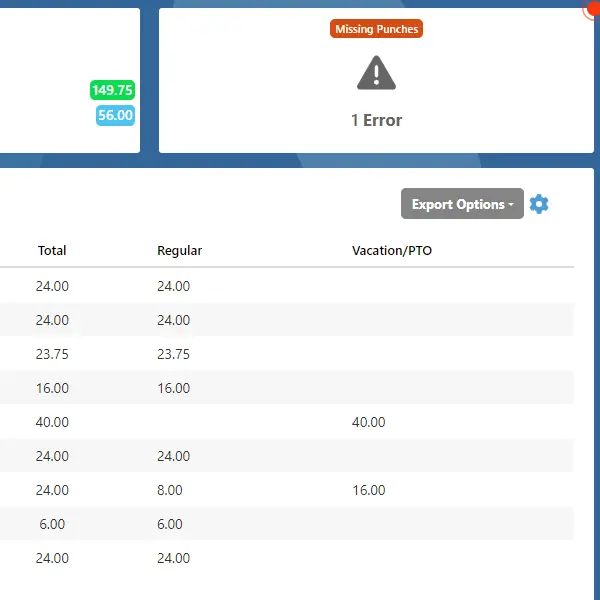
The TimeTrakGO dashboard gives managers instant visibility into every punch, every location, and every hour worked across your mobile workforce. No digging through timesheets or chasing employees to verify hours.
The dashboard automatically surfaces payroll red flags like overtime, missing punches, and absences so you can catch problems before they become payroll errors. Managers can resolve issues directly in the interface, cutting hours of cleanup every pay period.
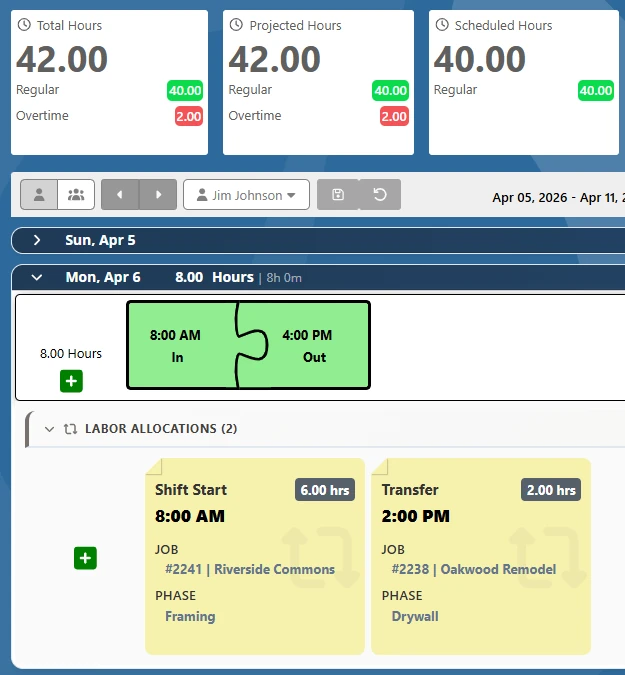
For teams working across multiple jobs or cost centers, Labor Allocation reporting breaks down exactly where every hour was spent, making job costing and client billing far more accurate.
Payroll Integrations
When the pay period closes, TimeTrakGO exports your verified field employee hours directly into ADP, QuickBooks, Sage 50, Paychex, Gusto, and more. No manual data entry, no transcription errors, no re-keying hours from a spreadsheet.
For payroll systems beyond the major providers, our flexible export engine generates a customized file output compatible with virtually any modern accounting or ERP platform.
The result is a payroll process that takes minutes instead of hours, and a set of records your accountant will actually trust.

Track Time by Job, Department, or Cost Center
Knowing how many hours your employees worked is only half the picture. With TimeTrakGO Labor Allocation, employees assign their time to a specific job, department, cost center, or task right at clock-in from the mobile app. No manual sorting after the fact, no spreadsheet cleanup at the end of the week.
Supervisors get a real-time breakdown of labor costs by job or project, making it easier to stay on budget, bill clients accurately, and win future work with confidence. Employees can even transfer between allocations mid-shift without clocking out.
Self-Service That Doesn’t Involve HR
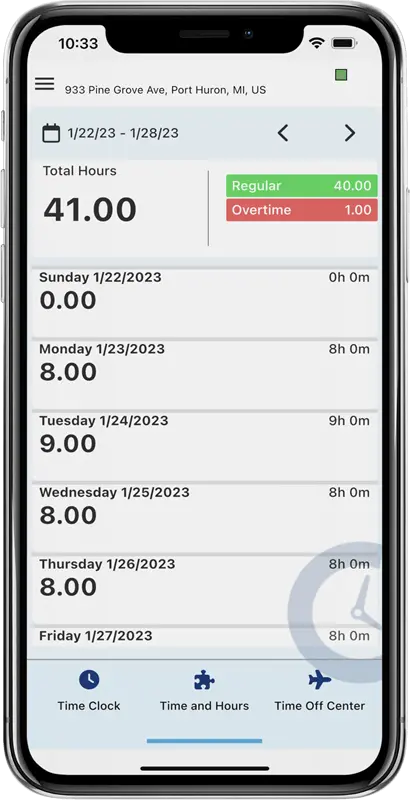
Employees should not need to call HR to check their PTO balance or find out how many hours they worked this week. With Employee Self-Service built into the TimeTrakGO employee time clock app, your team has instant access to their own records from their phone.
Employees can view accrued PTO balances, check daily and weekly hours, and review overtime totals before payroll runs. Time off requests are submitted electronically, managers receive an instant notification, and approved time off is automatically reflected on the timecard and deducted from the available balance.
Fewer interruptions for your HR team. More transparency for your employees.
What you get:
- Real-time hours and punch detail
- PTO balances with detail
- Electronic time off requests
What Types of Businesses Benefit from Using a GPS Time Clock App?
GPS time clock apps make the most sense for industries that need precise employee timekeeping and location data.
Construction and Trades
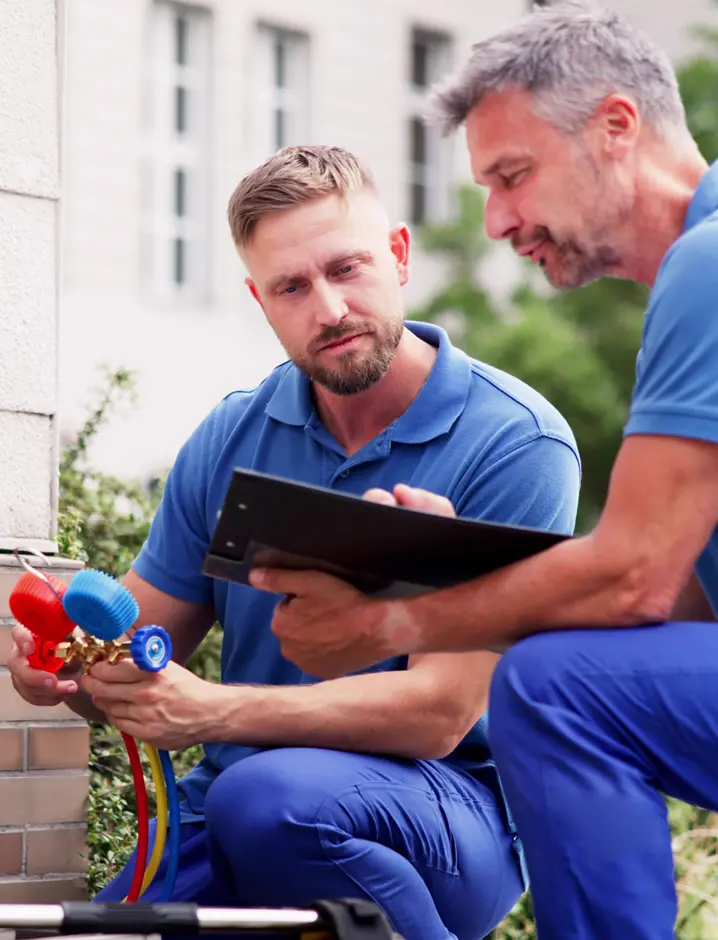
Contractors, plumbers, HVAC technicians, and landscaping professionals can track employee hours by job site and assign time to specific projects or cost centers right at clock-in.
Field Services
Pest control teams, cleaning services, and inspectors can log hours from any location and automatically allocate time to individual clients or service contracts, making billing and labor cost reporting far more accurate.
Healthcare Providers
Home health aides and mobile nurses can use GPS time tracking to accurately account for their time.
Transportation and Delivery
Logistics companies and movers can record accurate worked hours on the go and allocate drive time or labor to specific routes, jobs, or cost centers for cleaner payroll and better cost visibility.
Property Management and Facilities
Maintenance crews and property managers can verify on-site arrival at specific buildings or units, track time by property, and eliminate after-the-fact disputes over hours worked.
Mobile Time Clock App
Frequently Asked Questions
TimeTrakGO
Time Clock Software Benefits
Employee Time Clock Options
Integrate various clocking options for your entire workforce.
Finally, employee time clock software that’s simple to use.

Capterra
Shortlist
2026

Software Advice
Best Customer Support
2025

Software Advice
Front Runners
2026

Capterra
Best Value
2026