TimeTrakGO Logo
Physical Time Clock that works with QuickBooks2026-08-13T13:24:51+00:00

The Physical Time Clock That Works With QuickBooks

Simplify Employee Hours & Payroll with a Dedicated Physical Time Clock Device.

Inaccurate timesheets, payroll headaches, and employees punching in for each other are common problems with manual tracking.

A physical time clock system gives small businesses a simple, reliable, and secure way for employees to clock in and out at a central location

Starting at just $549 the TimeTrakGO RFID time clock is a cost-effective time and attendance solution for any size business.

$549.00

excl. Tax
Free Shipping (Contiguous United States)
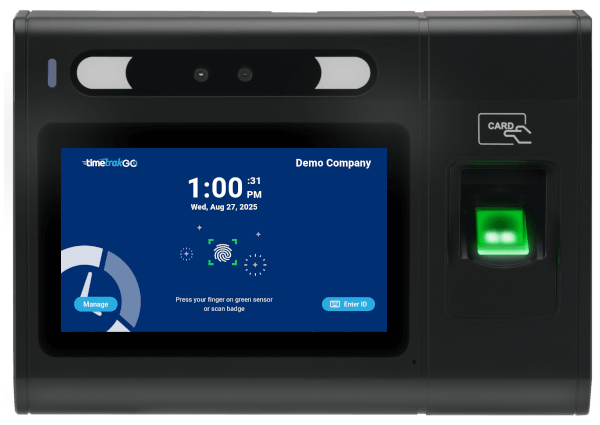
fingerprint time clock that works with quickbooks and gusto

$549.00

GOtime5

a Simply Better, employee time clock

fingerprint time clock that works with quickbooks and gusto
RFID Proximity Card
Touchscreen
Time Off Requests
Fingerprint (optional)
Ethernet Port
WiFi
Free Shipping (Contiguous United States)
1-Year Limited Warranty

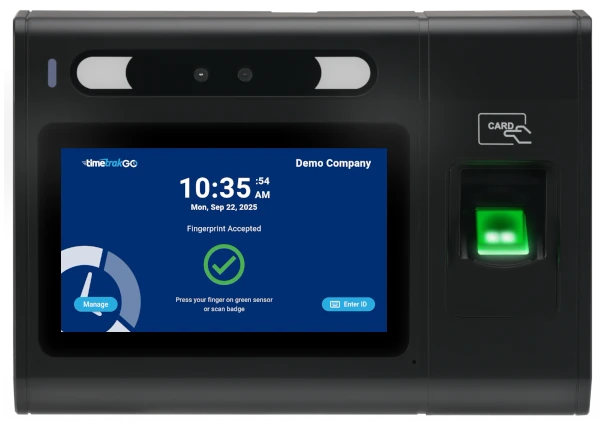
Reliable & Easy to Use: Simply Clock In

For streamlined and secure clock-ins, TimeTrakGO provides a dedicated physical time clock. Employees simply interact with the device directly, ensuring clear and accurate time recording.

Our GOtime5 captures employee work hours reliably in real-time, so you’ll have instant visibility into your teams worked hours.
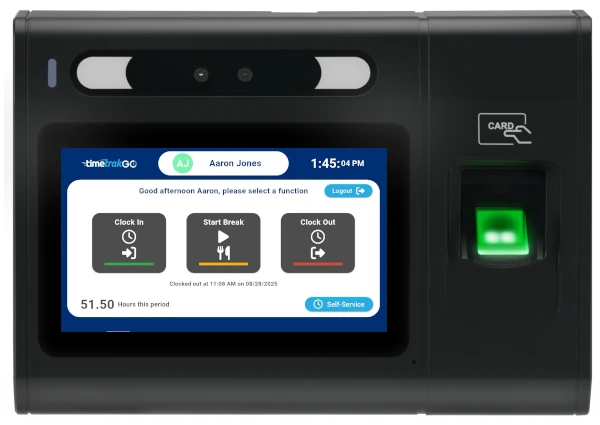
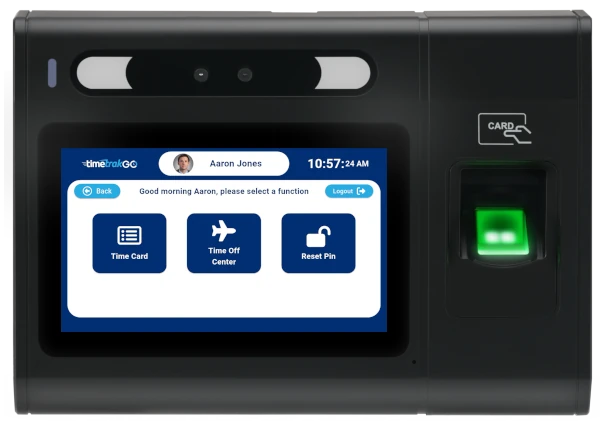
Easy to use time clock function screen
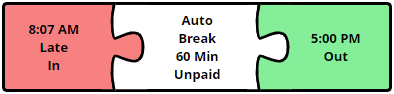
time clock software errors

Simplify Employee Time Tracking

Try Free for 14-days

Employee time clock device with fingerprint

Accurate Payroll Data for QuickBooks, Gusto, and More

Stop wasting time on manual data entry for payroll. TimeTrakGO’s software integrates directly with your physical time clock, providing accurate, real-time data for your payroll processing.

  • Physical Time Clock for QuickBooks: Easily send verified employee hours from your TimeTrakGO device straight into QuickBooks, eliminating manual calculations and errors.
  • Physical Time Clock for Gusto Payroll: Streamline your Gusto payroll processing with direct data transfer from your TimeTrakGO physical clock, ensuring accurate and efficient payments.
  • Works with Many Other Payroll Services: TimeTrakGO also works with many other payroll services, including ADP, Paychex, Sage 50, Paylocity, Heartland, and countless others that support CSV exports.

Real-time Reporting Dashboard

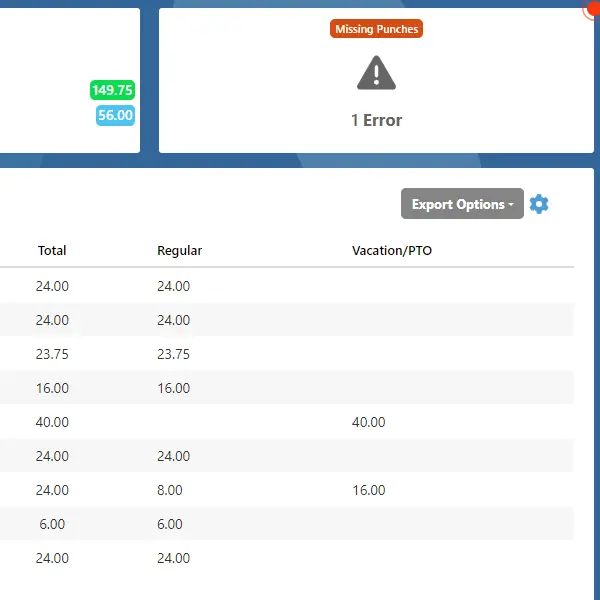
The dashboard flags missed punches from the physical clock as soon as they happen, instead of you finding out during payroll.

A supervisor can review and correct a missed punch right from the dashboard in a couple of clicks, no digging through paper records or calling the employee to ask what time they actually started.
Timekeeping dashboard
employee self service features of the time clock

Self-Service Built Into the Clock

Employees can pull up their own time data right at the clock, daily and weekly hours, punch details, and running overtime or PTO balances, without asking a supervisor to look it up.

Employees can also submit time off requests electronically, right from the physical time clock or through the TimeTrakGO mobile app, so a request doesn’t get lost in a text message or a sticky note on someone’s desk.

What Businesses Benefit from a Physical Time Clock?

A physical time clock makes sense for small businesses that need one fixed spot for everyone to clock in, especially where mobile apps or computer-based punching aren’t practical.

Manufacturing & Factories: Provides a sturdy, reliable punch-in station for all shifts, ideal where mobile device use may be restricted.

Retail Stores: A visible, fixed point for all employees to clock in/out, ensuring consistent time tracking for staff.

Healthcare Offices: Offers a dedicated, easy-to-clean device for accurate time tracking in a professional environment.

Restaurants & Hospitality: Ensures quick, accurate clock-ins during busy shifts for kitchen staff, servers, and front desk personnel.

Corporate Offices: A simple, efficient solution for centralizing time tracking for all employees in a shared workspace.

Any business with a fixed location where employees consistently report for work.

Physical Time Clock
Frequently Asked Questions

Technical Specifications2026-02-11T13:06:45+00:00

GOtime 5 | Full Technical Specifications


Core System & Performance

  • Processor: High-performance 8-core processor

  • Operating System: Android 10

  • Recognition Speed: < 1 second (Ultra-fast biometric matching)

  • Memory: 2GB RAM / 16GB ROM

  • Capacity: 20,000 Fingerprint templates

Display & Interface

  • Screen: 5” TFT LCD Capacitive Touch Screen

  • Resolution: 1280 x 720 (High Definition)

  • Aspect Ratio: 16:9

  • Feedback: Programmable LED indicator, Integrated Speaker, and Microphone

  • Input: Soft Keypad (via Touch Screen)

Connectivity & Authentication

  • Wi-Fi: Certified Dual Band 2.4G/5G (802.11 a/b/g/n/ac)

  • Ethernet: Standard 10/100 Mbps RJ45

  • USB: USB 2.0 Ports

  • RFID/Badge Support: Multi-frequency UltiCard reader. Supports 125/134.2kHz and 13.56MHz (NFC, EM4100 Series, Passive Prox/RFID responders).

Power & Electrical

  • AC Power: 12V, 1.5A Adaptor

  • PoE (Power over Ethernet): PoE+ IEEE 802.3at (Class 0~4)

    • Max Power: 30W

    • Voltage Range: 50~57V DC

    • Input Voltage (at PD): 48V

Environmental & Physical

  • Dimensions: 7.79″ (W) x 5.47″ (H) x 2.12″ (D)

  • Operating Temp: 32º F to 113º F (0° C to 45° C)

  • Operating Humidity: 5% to 80% non-condensing

Can fingerprint time clocks prevent buddy punching?2025-10-10T15:35:22+00:00

Yes, fingerprint time clocks are highly effective at preventing buddy punching. Since the system requires a unique fingerprint for each employee, it ensures that only the actual employee can clock in and out. This eliminates the possibility of buddy punching (one employee clocking in for another), ensuring accurate employee hours.

How do fingerprint time clocks work?2025-10-10T15:35:13+00:00

Fingerprint time clocks work by using biometric technology to scan and recognize an employee’s unique fingerprints. When an employee places their finger on the scanner, the system matches the fingerprint with the stored data (template) to verify their identity and record their clock-in or clock-out time. This ensures accurate and secure employee time tracking.

Are fingerprint time clocks secure?2025-10-10T15:34:47+00:00

Today’s fingerprint time clocks capture and store fingerprints using advanced biometric algorithms. When an employee first uses the system, their fingerprint is scanned and converted into a digital template (enrollment). This template is a mathematical representation of the fingerprint, not an actual image, ensuring privacy and security.

How does an RFID time clock work?2025-10-10T15:34:17+00:00

An RFID time clock efficiently tracks employee attendance using radio frequency identification. Employee badges, containing RFID tags, wirelessly transmit unique IDs to the time clock reader when in range. The system instantly records the precise time and date, linking it to the employee’s record. This automated process eliminates manual entry, ensuring accurate data for payroll and attendance.

TimeTrakGO
Time Clock Software Benefits

Employee Time Clock Options

Integrate various clocking options for your entire workforce.

Mobile App

Time clock app for iPhone and Android devices.

Web-Based

Browser-based virtual time clock for employees.

Tablet App

Turn an ordinary tablet into a traditional employee time clock.

Fingerprint

Dedicated physical time clock device with Fingerprint.

RFID Card

Dedicated physical time clock device with RFID Proximity cards.

Finally, employee time clock software that’s simple to use.

Capterra
Shortlist
2026

Software Advice
Best Customer Support
2025

Software Advice
Front Runners
2026

Capterra
Best Value
2026