
Fingerprint Time Clocks for Small Business
Simple yet powerful fingerprint time clock system.
Buddy punching and manual entry errors quietly drain small business profits. The GOtime5 fingerprint time clock stops both, verifying every punch with fingerprint recognition in under 1 second.
No badges to lose, no PINs to share, no guessing who actually showed up. That means payroll reflects exactly the hours your team worked.
Starting at $549 with free shipping. No per-device fees, no contracts.
$549.00
excl. Tax
Free Shipping (Contiguous United States)
It's GO Time!
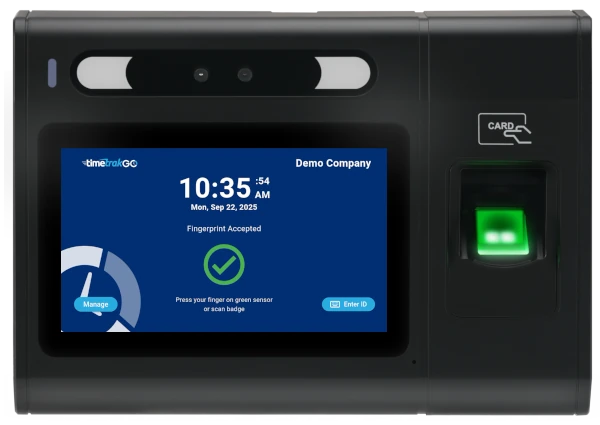
$549.00
GOtime5
a Simply Better, employee time clock
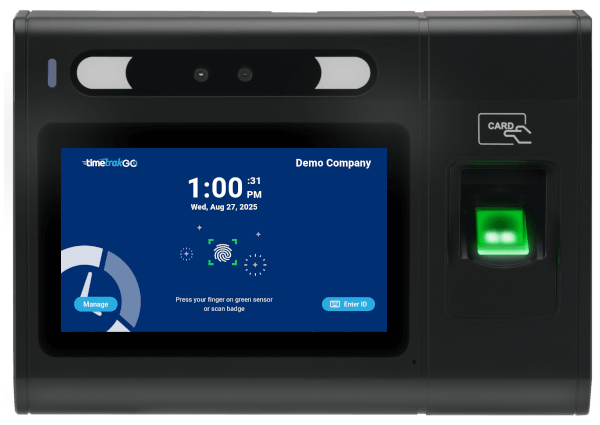
Fingerprint
Touchscreen
Time Off Requests
RFID Proximity Card Support
Ethernet Port
WiFi
Free Shipping (Contiguous United States)
1-Year Limited Warranty
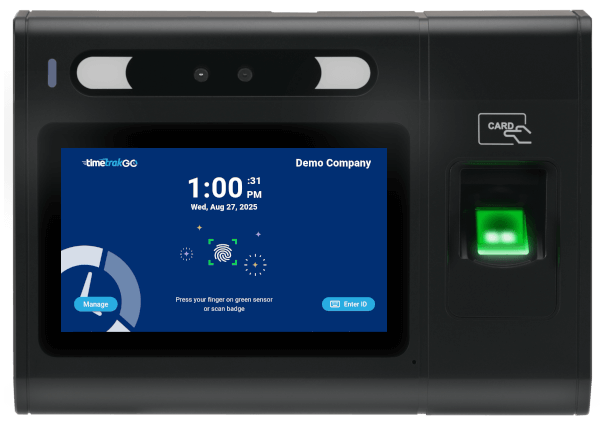
Biometric Fingerprint Security
Every employee is enrolled with a unique fingerprint template, not a stored image, so the system always knows exactly who’s punching in.
Reliable tracking, online or offline. Whether your shop floor has spotty Wi-Fi or a rock-solid connection, the fingerprint clock keeps capturing punches and syncs automatically once you’re back online. No lost data, no manual reconciliation.
Strict access controls and adherence to industry best practices safeguard user information, so you can use TimeTrakGO’s time tracking features with confidence that your data is protected.
Biometric Fingerprint Accuracy
The sensor reads multiple data points to build a detailed, unique map of each fingerprint, not just a surface scan. That means fewer false rejects, even for employees with worn, dry, or dirty hands from a shift on the floor.
Each employee can enroll more than one finger, so a scan still works even if their primary registered finger is injured or hard to read that day.
Built for Busy Administrators, Not IT Experts
You don’t need to be an IT expert to manage your team’s attendance. The GOtime5 is built for busy administrators who want a “no-headache” setup, and TimeTrakGO includes FREE setup and training so your system is configured correctly from day one.
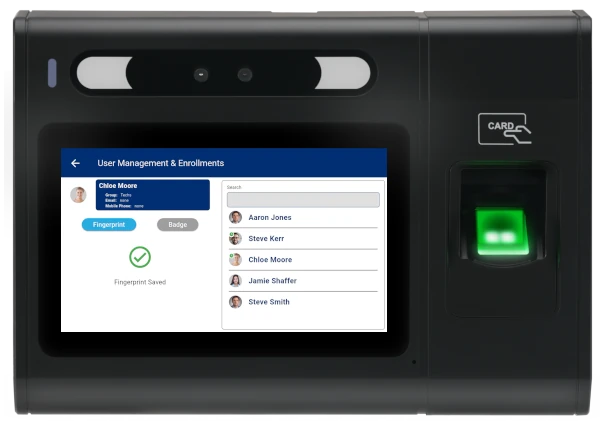
The large touchscreen makes it easy for managers to enroll new employees right at the device. From there, TimeTrakGO’s web-based software gives you full control to manage employees, review time cards, and run reports from anywhere.
Real-time Reporting Dashboard
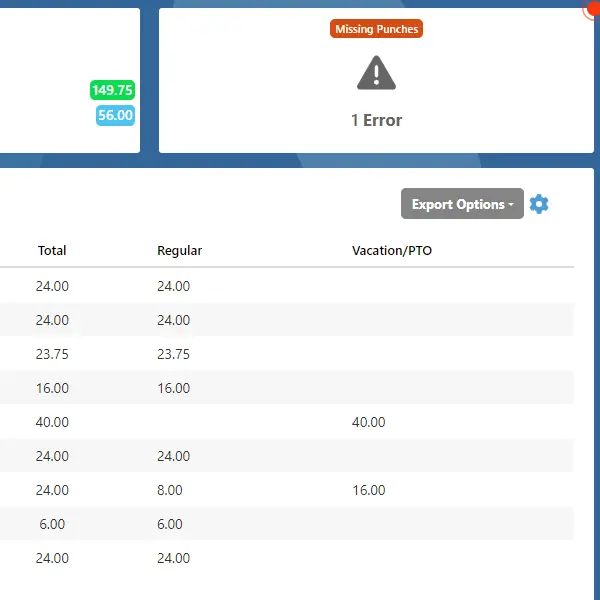
Payroll shouldn’t take all day. The TimeTrakGO dashboard flags missed punches and overtime automatically, so you catch issues before payroll day instead of digging through paper logs after the fact.
Supervisors can review and fix time cards directly from the dashboard, no back-and-forth with spreadsheets.
Need a custom view? Build reports filtered by employee, group, or date range in a few clicks.
Job Tracking with Labor Allocation
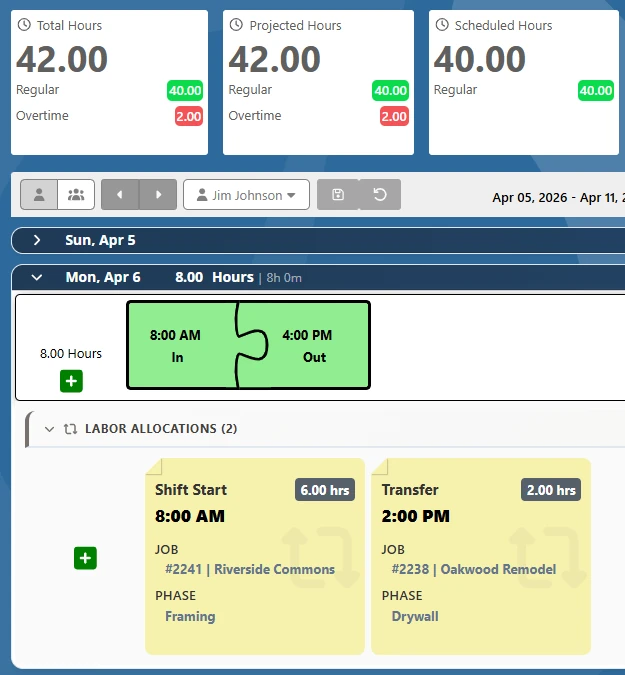
The GOtime5 pairs with TimeTrakGO’s labor allocation feature, so employees assign their hours to a job, department, or cost center right at the clock, no separate step, no extra device.
Every hour is tagged the moment it’s punched, so job cost reports are ready as soon as the shift ends.
Self-Service Features
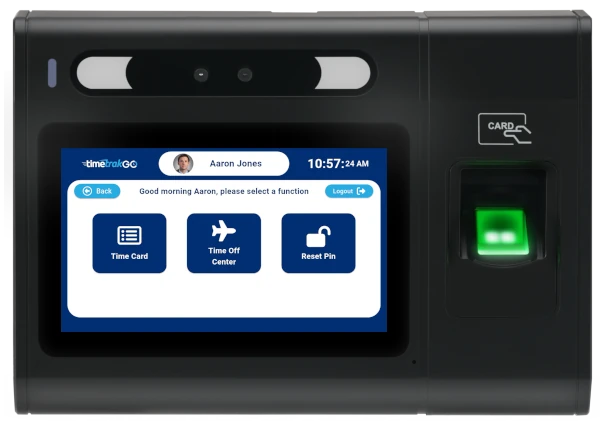
Employees can check their daily and weekly hours, review punch details, and see their overtime or PTO balance right at the clock, no need to ask a manager.
Time off requests work the same way: submit electronically from the clock or the mobile app, and managers get the request without any paperwork in between.
Unique Graphical Time Card View
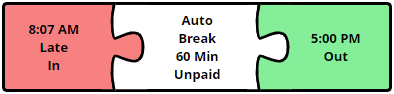
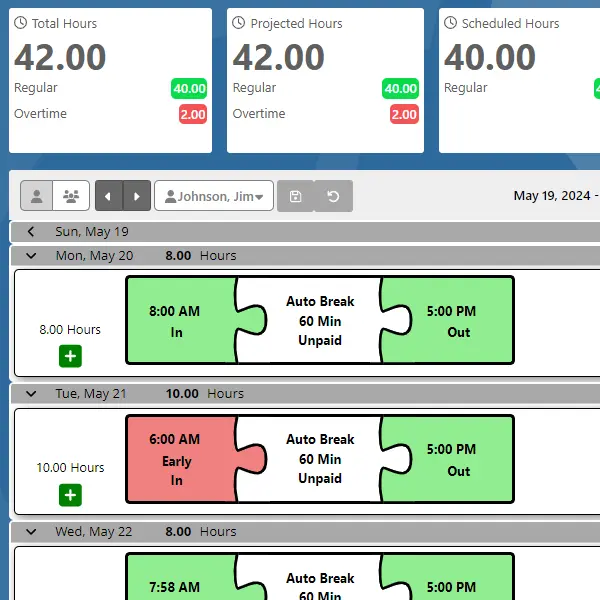
TimeTrakGO’s graphical time cards lay out punch activity, breaks, and worked hours visually, so supervisors can spot what happened in a shift at a glance instead of reading rows of numbers.
Late arrivals, early departures, and missed shifts are flagged automatically, right on the time card. A projected hours feature shows each employee’s anticipated total based on their schedule and hours worked so far, so you can catch overtime before it happens, not after payroll’s already run.
Overtime rules calculate automatically, daily, weekly, or consecutive-day, based on how your company is configured.




What Types of Businesses Benefit from Using a Fingerprint Time Clock
Manufacturing and Warehouses
Built to handle dirt, grease, and moisture on the shop floor, while still reading hours accurately even when hands aren’t clean.
Healthcare Offices
Accurate time tracking for clinical and administrative staff, without the shared badges or codes that are easy to lose or pass along.
Retail
Stop time theft at the register and keep payroll matched to hours actually worked.
Hospitality
Cut payroll discrepancies across hotel and restaurant shifts where staff turnover and multiple locations make manual tracking hardest.
Professional Offices
Small offices and clinics running lean staff still need accurate time records for billing and payroll, without the overhead of a full HR system.
Simple Payroll Integration
TimeTrakGO exports verified hours straight to your payroll provider, cutting out manual re-entry and the errors that come with it.
Because pay is based on actual clocked time, you’re not covering for early clock-ins or late clock-outs that never happened, and any rounding rules you set are applied the same way every time instead of estimated by hand.
Payroll integrations include ADP, Paychex, QuickBooks, Paylocity, Heartland, Sage 50, and Gusto.

Payroll Integrations
Integrate TimeTrakGO with leading payroll services like ADP, Paychex, QuickBooks Desktop, Gusto, and more.
Free Onboarding Assistance
We offer free setup and training for all customers, making it easy for businesses of any size to get started.
Fingerprint Time Clocks
Frequently Asked Questions
TimeTrakGO
Time Clock Software Benefits
Employee Time Clock Options
Integrate various clocking options for your entire workforce.
Finally, employee time clock software that’s simple to use.

Capterra
Shortlist
2026

Software Advice
Best Customer Support
2025

Software Advice
Front Runners
2026

Capterra
Best Value
2026
