
Job Tracking Time Clock System
TimeTrakGO ties every punch to a job, phase, and cost code automatically. See real-time labor hours per job from any device so you can catch overruns while there’s still time to act
TimeTrakGO makes job-level time tracking simple enough for crews to use and accurate enough for your numbers to hold up at job close-out.
- Clock in by job & cost code
- Forced job selection
- Mid-shift job transfers
- GPS & geofence
- Unlimited jobs & cost codes
- 14-day free trial
If you don’t know your labor hours per job, you’re flying blind
Labor is your biggest job expense. But without a system that ties hours to jobs and cost codes, you’re reconciling at job close-out, after the crew is paid, the job is done, and there’s nothing left to fix.
TimeTrakGO ties every punch to a job the moment it happens. See hours accumulating by job in real time, so you catch an overrun on day three, not day thirty.
- No unallocated hours: Job selection is required at clock-in. Every minute is accounted for before payroll runs.
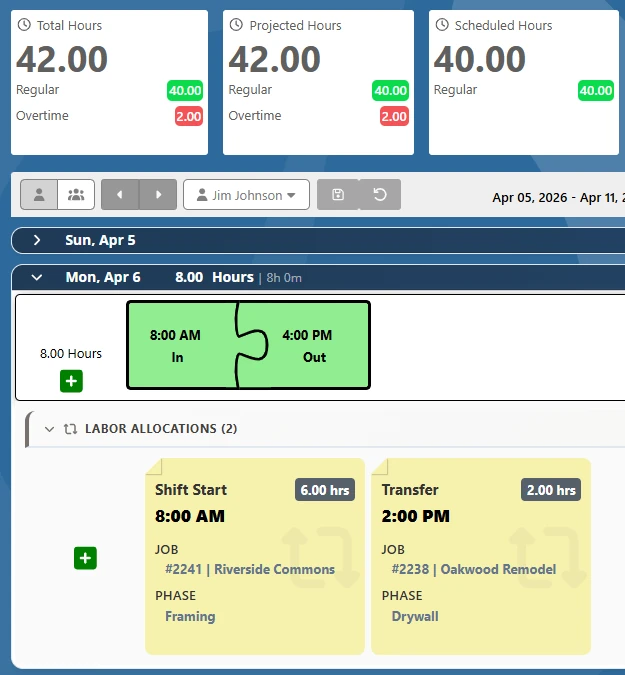
- Real-time labor by job: Watch hours accumulate per job as the day progresses. Spot problems while there’s still time to act.
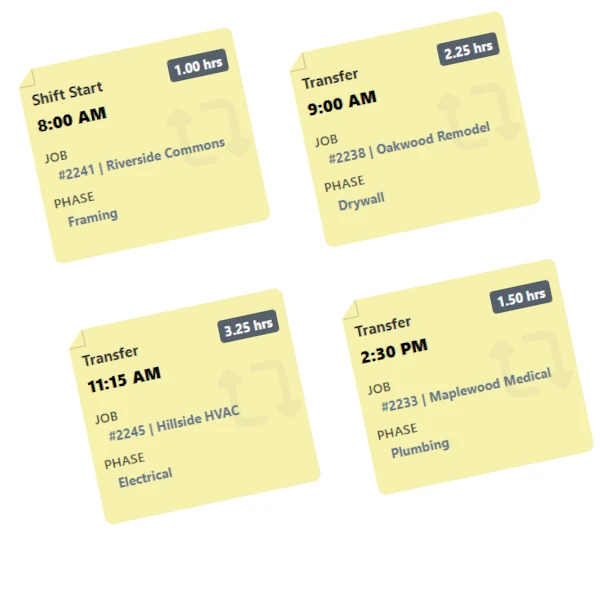
- Mid-shift transfers without re-punching: When a crew moves from one job to another, they transfer in seconds. The time split is recorded automatically.
- GPS verification on every punch: Location is captured at clock-in so you know the hours are legitimate and the crew is where they said they were.
HOW IT WORKS
From First Punch to Payroll Export, Every Hour Is Accounted For
No spreadsheets. No manual allocation. Job-level labor data captures itself in real time.
Job-Allocated Hours Go Straight to Payroll. No Re-Entry.
When employees clock in by job, that allocation does not stay trapped in the time clock. TimeTrakGO exports hours with the full job and cost code breakdown attached, so your payroll system receives complete labor data, not just a total hour count.
No spreadsheet in the middle. No manual re-entry. No reconciliation at month end.

BUILT FOR
Job costing for every trade and field service
TimeTrakGO’s configurable cost code hierarchy works across industries.
Track labor by job number, CSI division, and phase. Compare field hours to your estimate in real time.
Allocate hours to jobs and circuit phases. Identify labor overruns by scope before they eat your margin.
Clock crews in by work order and system type. Track rough-in vs. trim labor separately for accurate job close-out.
Track crew hours by property, service type, and crew. Know your actual cost per job before the invoice goes out.
Tie technician time to work orders and service calls. Accurate labor data per ticket means accurate invoicing.
Whether you do roofing, painting, masonry, or flooring, TimeTrakGO matches your estimating structure.
Multiple Time Clock Options Available
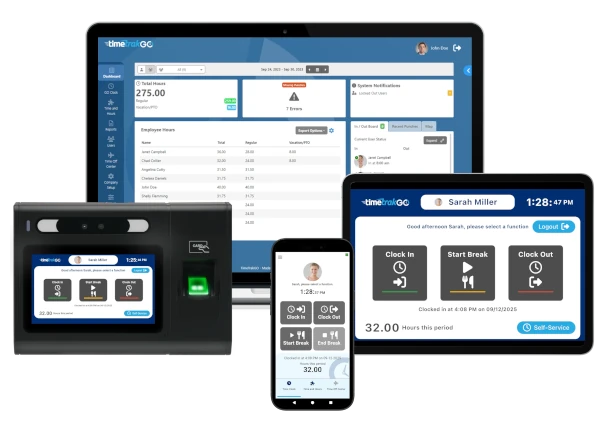
Our intuitive employee time clock options make it easy for your employees to clock in and out or allocate their time to specific jobs with just a few clicks.
Choose from our Mobile App, Virtual Time Clock, PIN Entry Kiosk, and Facial Recognition or Physical Time Clocks, all feeding the same real-time job costing.




What Businesses Benefit from Job Tracking Time Software?
If your employees move between jobs, projects, cost centers, or properties during the day, you need a time clock that captures that detail automatically. Job tracking is not just for large contractors.
Any business that bills by job, manages labor budgets by project, or needs payroll-ready hours without manual sorting will benefit.
Construction & General Contractors: Track field labor by job number, phase, and cost code. Know your true labor cost per project before the invoice goes out and compare actual hours against your estimate while there’s still time to act.
Electrical, Plumbing & HVAC: Allocate crew hours to specific work orders, system types, and job phases. Identify where labor is running over scope before it affects your margin.
Landscaping & Field Service: Tie employee time directly to properties, service calls, or work orders. Accurate labor data per job means accurate billing and no more end of week guesswork.
Manufacturing & Production: Track hours by work order, production line, or operation. Understand your true labor cost per unit and identify inefficiencies by department or process.
Professional Services: Allocate staff time to clients, projects, and tasks. Support accurate invoicing, monitor project profitability, and identify where unbillable time is slipping through.
Nonprofits & Government: Distribute labor hours across programs, grants, or funding sources. Maintain the accurate records required for compliance, reporting, and reimbursement.
The Bottom Line: This is for any business with employees who work across multiple jobs, projects, or cost centers in a single day and needs payroll ready labor data without manual time card editing.
Job Tracking Time Clock
Frequently Asked Questions
Finally, employee time clock software that’s simple to use.

Capterra
Shortlist
2026

Software Advice
Best Customer Support
2025

Software Advice
Front Runners
2026

Capterra
Best Value
2026