TimeTrakGO Logo
Swipe Card Time Clock System for Employees2026-08-07T20:09:56+00:00

Swipe Card Time Clock System

Simple swipe card time clock system.

A swipe card time clock gives small businesses one fast, secure way for employees to clock in, no PIN pad to fumble with and no fingerprint scan to line up.

Employees tap or swipe their card and the punch is recorded instantly, cutting down on the manual corrections that come from inaccurate timesheets.

Starting at just $549, the TimeTrakGO Swipe Card Time Clock is a cost-effective time and attendance solution designed specifically for small businesses.

$549.00

excl. Tax
Free Shipping (Contiguous United States)
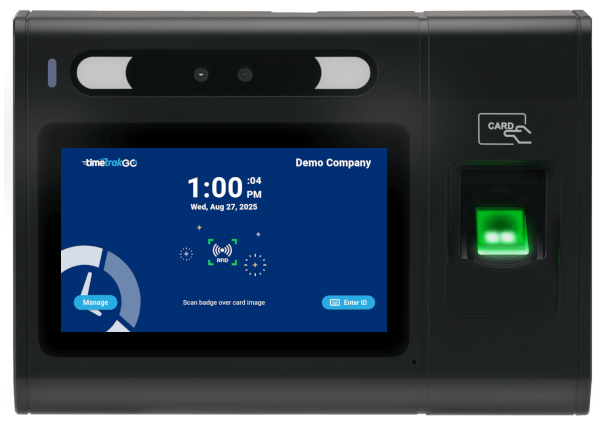
rfid proximity time clock device for employees

$549.00

GOtime5

a Simply Better, employee time clock

badge accepted message displaying on time clock
RFID Proximity Card
Touchscreen
Time Off Requests
Fingerprint (optional)
Ethernet Port
WiFi
Free Shipping (Contiguous United States)
1-Year Limited Warranty
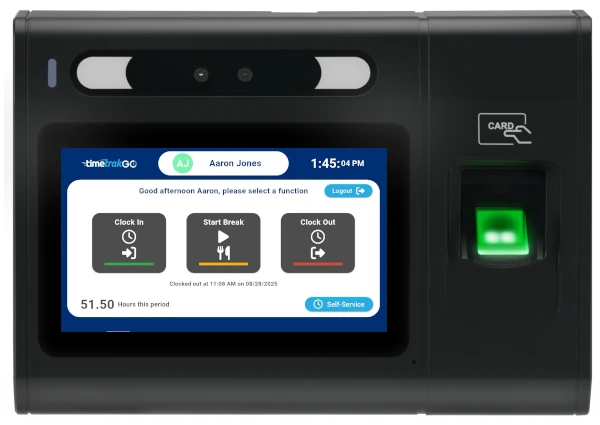
Easy to use time clock function screen

Card Swipe Time Clock System

For streamlined and secure clock-ins, TimeTrakGO uses simple swipe card validation. Each employee gets a unique time card, making identification and time recording accurate and quick.

Our system captures employee work hours reliably in real-time, so you’ll have instant visibility into your teams hours.
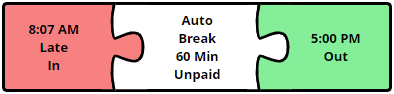
time clock software errors

Simplify Employee Time Tracking

Try Free for 14-days

Swipe Time Card Device

Every swipe card has its own ID number, so the clock always knows exactly which employee just badged in, nobody can borrow a card and punch in under someone else’s name.

Even during a shift change, when a dozen employees might swipe in within the same couple of minutes, the reader keeps up without slowing anyone down.

If a card gets lost or damaged, deactivating it and issuing a new one takes a couple of clicks, not a maintenance call.
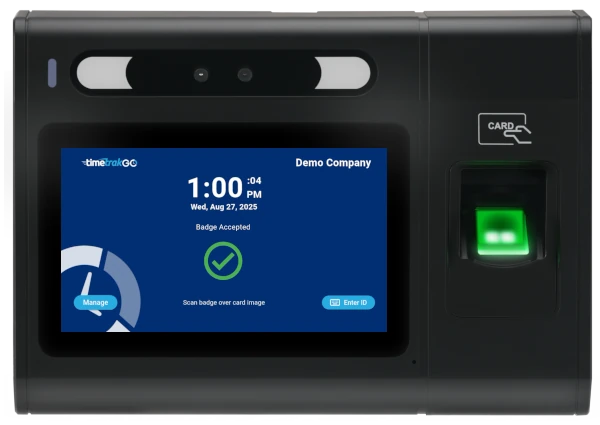
badge accepted message displaying on time clock
Timekeeping dashboard

Real-Time Reporting Feeds Straight to Payroll

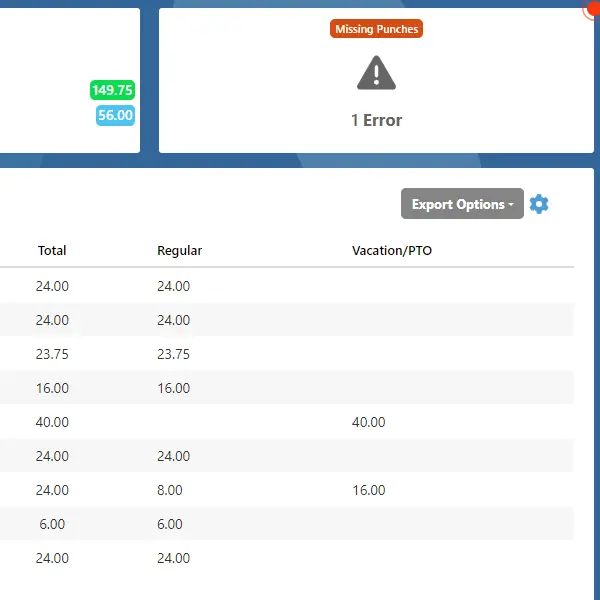
Hours from the swipe card system show up on the dashboard in real time, not after the pay period closes. If a punch is missing, a supervisor can spot it and fix it directly from the dashboard in a couple of clicks, instead of tracking down the employee to ask what time they actually started.

Self-Service, Right at the Clock

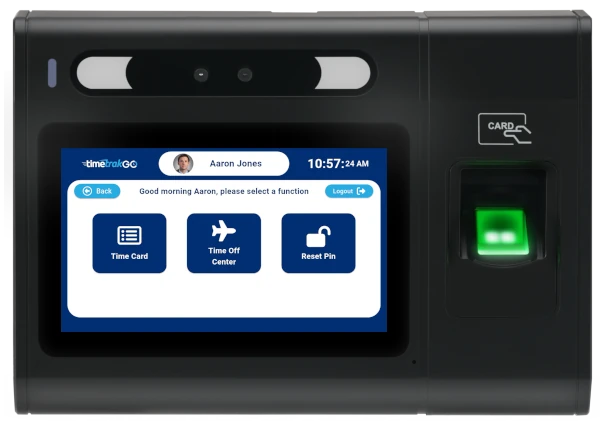
Employees can pull up their own time data right at the clock, daily and weekly hours, punch details, and running overtime or PTO balances, without asking a supervisor to look it up.

Employees can also submit time off requests electronically, right from the swipe card time clock or through the TimeTrakGO mobile app, so a request doesn’t get lost in a text message or a sticky note on someone’s desk.

employee self service features of the time clock

What Businesses Benefit from a Swipe Card Time Clock?

Swipe card time clocks are ideal for small businesses that need precise employee timekeeping without the fuss, especially where other methods might be impractical.

Manufacturing
Factories and production facilities where employees may wear gloves.

Healthcare Offices
Environments where hygiene is critical; reduces physical contact.

Retail
Stores with high employee turnover, making card issuance and reassignment simple.

Hospitality
Hotels and restaurants that need quick, efficient check-ins during busy shifts.s.

Education
Schools and universities using cards for attendance and potentially access control.

Corporate Offices
Businesses needing fast, reliable clock-ins for large workforces to avoid bottlenecks.

Swipe Card Time Clock
Frequently Asked Questions

Technical Specifications2026-02-11T13:06:45+00:00

GOtime 5 | Full Technical Specifications


Core System & Performance

  • Processor: High-performance 8-core processor

  • Operating System: Android 10

  • Recognition Speed: < 1 second (Ultra-fast biometric matching)

  • Memory: 2GB RAM / 16GB ROM

  • Capacity: 20,000 Fingerprint templates

Display & Interface

  • Screen: 5” TFT LCD Capacitive Touch Screen

  • Resolution: 1280 x 720 (High Definition)

  • Aspect Ratio: 16:9

  • Feedback: Programmable LED indicator, Integrated Speaker, and Microphone

  • Input: Soft Keypad (via Touch Screen)

Connectivity & Authentication

  • Wi-Fi: Certified Dual Band 2.4G/5G (802.11 a/b/g/n/ac)

  • Ethernet: Standard 10/100 Mbps RJ45

  • USB: USB 2.0 Ports

  • RFID/Badge Support: Multi-frequency UltiCard reader. Supports 125/134.2kHz and 13.56MHz (NFC, EM4100 Series, Passive Prox/RFID responders).

Power & Electrical

  • AC Power: 12V, 1.5A Adaptor

  • PoE (Power over Ethernet): PoE+ IEEE 802.3at (Class 0~4)

    • Max Power: 30W

    • Voltage Range: 50~57V DC

    • Input Voltage (at PD): 48V

Environmental & Physical

  • Dimensions: 7.79″ (W) x 5.47″ (H) x 2.12″ (D)

  • Operating Temp: 32º F to 113º F (0° C to 45° C)

  • Operating Humidity: 5% to 80% non-condensing

Can fingerprint time clocks prevent buddy punching?2025-10-10T15:35:22+00:00

Yes, fingerprint time clocks are highly effective at preventing buddy punching. Since the system requires a unique fingerprint for each employee, it ensures that only the actual employee can clock in and out. This eliminates the possibility of buddy punching (one employee clocking in for another), ensuring accurate employee hours.

How do fingerprint time clocks work?2025-10-10T15:35:13+00:00

Fingerprint time clocks work by using biometric technology to scan and recognize an employee’s unique fingerprints. When an employee places their finger on the scanner, the system matches the fingerprint with the stored data (template) to verify their identity and record their clock-in or clock-out time. This ensures accurate and secure employee time tracking.

Are fingerprint time clocks secure?2025-10-10T15:34:47+00:00

Today’s fingerprint time clocks capture and store fingerprints using advanced biometric algorithms. When an employee first uses the system, their fingerprint is scanned and converted into a digital template (enrollment). This template is a mathematical representation of the fingerprint, not an actual image, ensuring privacy and security.

TimeTrakGO
Time Clock Software Benefits

Employee Time Clock Options

Integrate various clocking options for your entire workforce.

Mobile App

Time clock app for iPhone and Android devices.

Web-Based

Browser-based virtual time clock for employees.

Tablet App

Turn an ordinary tablet into a traditional employee time clock.

Fingerprint

Dedicated physical time clock device with Fingerprint.

RFID Card

Dedicated physical time clock device with RFID Proximity cards.

Finally, employee time clock software that’s simple to use.

Capterra
Shortlist
2026

Software Advice
Best Customer Support
2025

Software Advice
Front Runners
2026

Capterra
Best Value
2026