

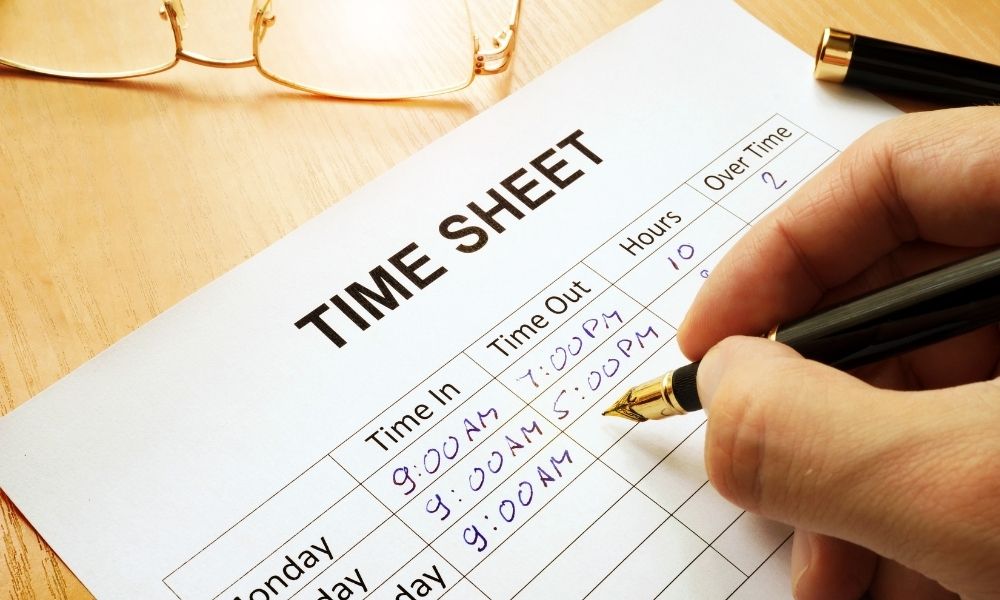
The best way to keep track of work hours and pay for hourly employees is whatever method actually fits your business and gets accurate hours onto a paycheck without a lot of manual cleanup. Systems keep improving, so it’s worth revisiting this every so often, even if what you’re using now feels fine.
What Is Time Tracking?
Time tracking gets a bad reputation sometimes, but it’s really just about paying people correctly and knowing when someone’s approaching overtime so you can plan for the added cost before it hits payroll.
It’s also useful for remote employees specifically. When someone’s working from home with no one watching over their shoulder, accurate time tracking is how their hours actually get seen and counted, rather than them just hoping it works out at pay time.
Beyond payroll, a good system doubles as a central hub for vacation requests and approvals, and a reference point if anyone ever has a question about hours worked.
There are several ways businesses handle this. Let’s go through them.
Pen and Paper
Rarely anyone’s first choice anymore, but pen and paper is still sometimes a necessity, especially for a business with little or no internet connectivity.
It’s simple on the surface: employees write down their hours, including breaks and lunch, in a notebook. The problems show up later, a lost notebook, a forgotten entry, a transcription error moving numbers from the notebook into payroll. Every manual step is another chance for a small mistake to turn into a wrong paycheck.
Manual Punch Clock
A manual punch clock requires a fixed location, so it doesn’t work for remote employees. A paper time card gets inserted into a mechanical machine that stamps the current time on it.
These were common in the 1980s as a low-cost way to record attendance accurately, but they’re rarely used today, replacing ribbons and ordering paper time cards is more upkeep than most businesses want, and the manual process of tallying hours from stamped cards is slow.
Mobile Apps
A mobile app works well as long as every employee has a smartphone, which can mean an added cost if not everyone does. In exchange, mobile apps usually offer more than just clock in and clock out: reminders to clock in, clock out, or take a break, and the ability to log time against a specific project when employees are paid per project.
For jobs that involve driving or travel, a GPS-enabled app can also track mileage automatically, and geofencing can flag or restrict clock-ins to a job site. The tradeoff is that a phone can be lost, forgotten, or left to die, in a way a dedicated device usually isn’t.
Biometric Time Clocks: Fingerprint and Facial Recognition
Fingerprint and facial recognition clocks solve a problem none of the above methods fully address: someone clocking in for a coworker who isn’t actually there. Since a fingerprint or a face can’t be shared or borrowed, every punch is tied to the actual person who showed up.
Fingerprint clocks read a unique template from an employee’s finger; facial recognition can run on a dedicated device or turn a tablet you already own into a time clock. Both cut down on time theft without requiring employees to carry or remember anything. The tradeoff is upfront hardware cost for a dedicated device, though a tablet-based facial recognition setup avoids that.
RFID Badge Systems
RFID proximity badges are the modern successor to the old magnetic-stripe card swipe. Employees tap or hold a badge near the reader, no physical contact, no lining up a swipe. Because there’s no contact involved, the badges hold up better over time than a swipe card, which wears out from repeated friction against the reader.
The tradeoff is the same as any badge system: if an employee forgets or loses their badge, they can’t clock in until it’s replaced, and a badge can technically be handed to someone else, which a fingerprint or face can’t.
Dedicated Time Tracking Software
Time tracking software is one of the more reliable ways to handle this, since once it’s set up, it mostly runs itself. Each employee gets an account that tracks clock-ins, clock-outs, and break times, and most systems let employees request PTO or vacation directly, for a supervisor to approve or deny.
With one click to clock in or out, hours flow directly into payroll accurately, without someone re-entering numbers from another source. It also tends to work equally well for in-office and remote employees, which matters more now than it did a few years ago.
Spreadsheets
A spreadsheet is a simple, low-cost way to track hourly employees, but cost-effective doesn’t always mean efficient. Each employee has to open it and manually enter their own hours, and manual entry means mistakes are going to happen sooner or later.
What’s Best for Your Company?
The right choice comes down to what your employees are actually comfortable using and what fits how your business operates day to day. It’s worth asking your team directly how tracking could be improved, and prioritizing a system that works equally well for in-office and remote staff so it still fits as the company grows.
Even if your current system seems to be working fine, it’s worth periodically checking what’s changed, tracking methods that felt modern a few years ago (card swipes, basic mobile apps) have real, cheaper-to-maintain successors today. Getting this right is really the foundation of managing hourly employees well, since accurate hours are what everything else, scheduling, overtime, payroll, is built on.
TimeTrakGO offers web-based hourly employee time tracking, along with fingerprint, RFID, and facial recognition options if you’re ready to move past a manual method. The dashboard flags missed punches and approaching overtime automatically, so you catch it before payroll runs instead of after. Start a free 14-day trial and see which method actually fits your team.
About the Author: Matt Davis





