
GOtime5
Every punch. Verified. In under a second.
Buddy punching and manual entry errors quietly drain small business profits. The GOtime5 stops both, with no badges to lose and no PINs to share.
Free 14-day trial of the TimeTrakGO software · No credit card required · Clock purchased separately
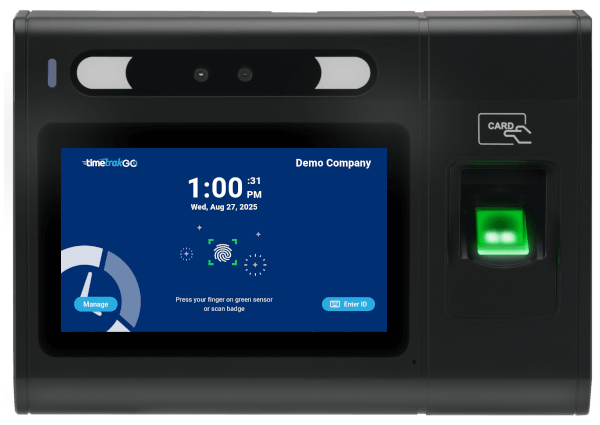
The lowest price we have ever put on the GOtime5.
Per device, excluding tax. The sale price is applied automatically when you order through this page. No code to enter, no minimum quantity.
- Free shipping anywhere in the contiguous United States
- Free setup and training, included for every customer
- No per-device fees and no contracts, ever
- 1-year limited hardware warranty
Orders placed after the countdown reaches zero return to the regular $549 price.
Every punch. Every hour. Every payroll. Verified at the source—without badges, shared PINs, or guesswork.
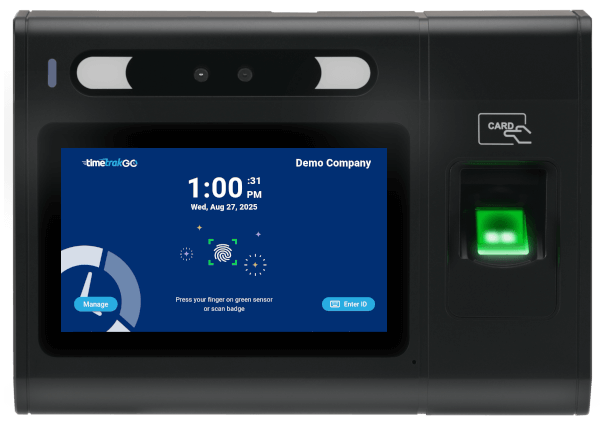
A finger is all they need.
The sensor maps multiple fingerprint data points and matches the employee in under one second. No badge to forget. No PIN to pass around.
The scan converts to a mathematical template rather than storing an image, keeping biometric data secure on the device. Employees can enroll multiple fingers so clocking in still works when one isn't reading well.
Never lose a punch.
GOtime5 keeps recording when the network doesn't. Once the connection returns, punches sync automatically — with no manual reconciliation on payroll morning.
Connect over dual-band Wi-Fi or wired Ethernet, whichever fits the spot where your team punches.
See problems before payroll.
Missed punches and overtime surface in real time, while verified hours flow into reports and leading payroll systems.
Need a badge instead? The built-in reader also handles 125kHz EM4100 proximity cards.
Hours you can see.
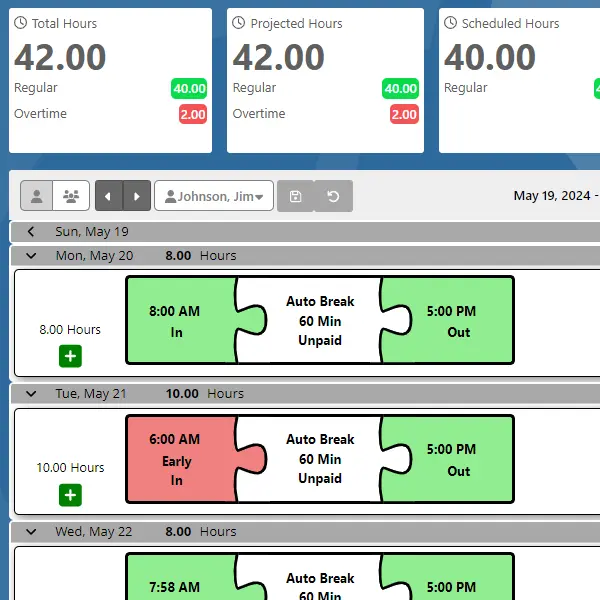
TimeTrakGO lays out punch activity, breaks, and worked hours visually, so supervisors read a week at a glance instead of scanning rows of numbers.
Late arrivals, early departures, and missed shifts are flagged automatically. A projected hours feature shows each employee's anticipated total from their schedule and hours so far, so you catch overtime before it happens, not after payroll runs.
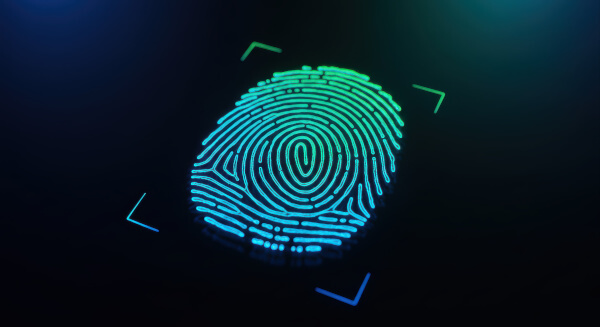
A punch nobody else can make.
of employees who track their time admit to clocking in for a coworker.
of U.S. businesses lose money to buddy punching, according to Nucleus Research.
to confirm the right person is standing at the clock, on every single punch.
16% figure: Pollfish survey of 1,000 U.S. employees, 2017. 75% figure: Nucleus Research.
Everything the clock does on day one.
No per-device fees. No add-on modules to unlock the basics.
Fingerprint
Biometric verification in under one second, up to 20,000 templates.
5″ Touchscreen
1280×720 capacitive HD display with soft keypad and speaker.
Time Off Requests
Employees submit PTO right at the clock. Managers approve online.
RFID Badges
Built-in reader for 125kHz EM4100 proximity cards.
Wired Ethernet
10/100 Mbps RJ45 for a stable connection anywhere you can run a cable.
Dual-Band Wi-Fi
Certified 2.4G/5G, 802.11 a/b/g/n/ac, with offline punch buffering.
Free Shipping
No freight charge anywhere in the contiguous United States.
1-Year Warranty
Limited hardware warranty plus free setup and training for life.
Reads the ridges, not just the surface.
The sensor maps multiple data points to build a detailed, unique picture of each fingerprint. That is what keeps false rejects low on hands that have been working all morning.
Every employee can register more than one finger, so an injury or a bandage does not turn into a missed punch and a manual time card edit.
Built for busy office managers, not IT experts.
You do not need an IT background to run your team's attendance. The GOtime5 is a no-headache setup, and TimeTrakGO includes free setup and training so it is configured correctly on day one.
Enroll new employees right at the touchscreen. From there the web software gives you full control to manage people, review time cards, and run reports from anywhere.
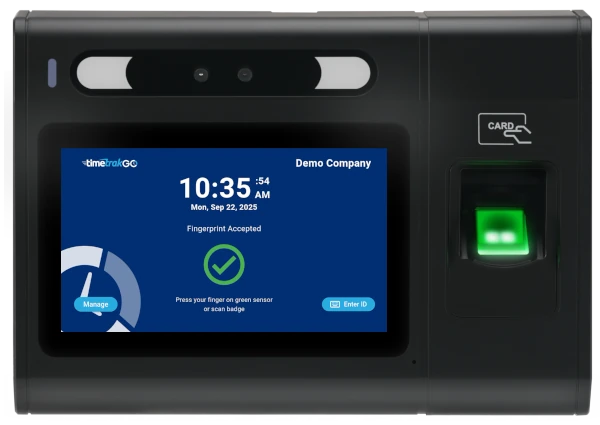
Payroll should not take all day.
The dashboard flags missed punches and overtime automatically, so you catch problems before payroll day instead of digging through logs afterward.
Supervisors review and fix time cards directly from the dashboard. Need a different view? Build reports filtered by employee, group, or date range in a few clicks.
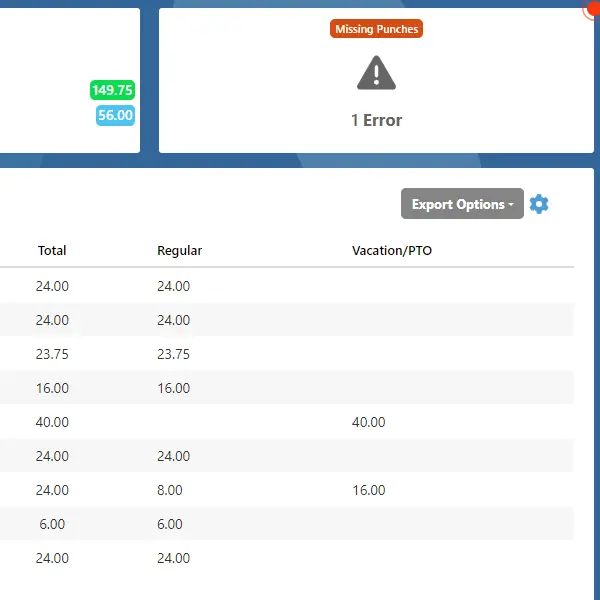
Hours tagged the moment they're punched.
The GOtime5 pairs with TimeTrakGO's labor allocation feature, so employees assign hours to a job, department, or cost center right at the clock. No separate step, no second device.
Because every hour is tagged at the punch, job cost reports are ready as soon as the shift ends.
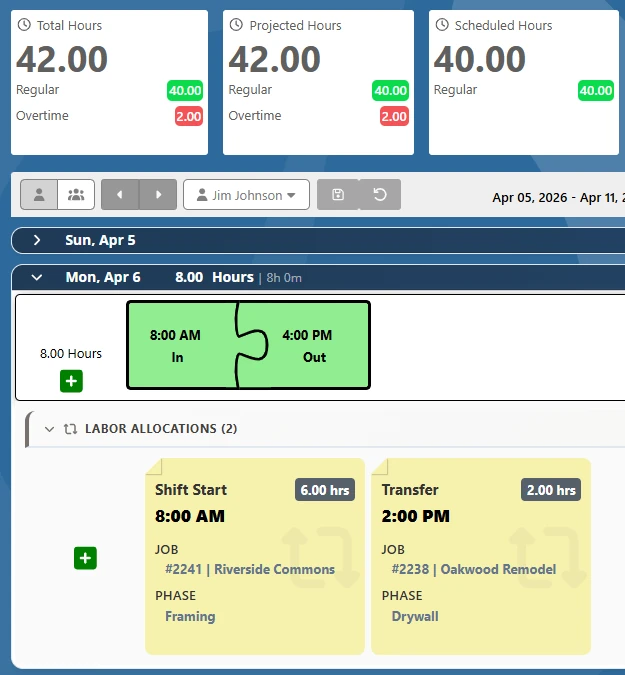
Fewer taps on the manager's shoulder.
Employees check daily and weekly hours, review punch details, and see overtime or PTO balance right at the clock, without asking anyone.
Time off requests work the same way. Submit from the clock or the mobile app, and managers get the request with no paperwork in between.
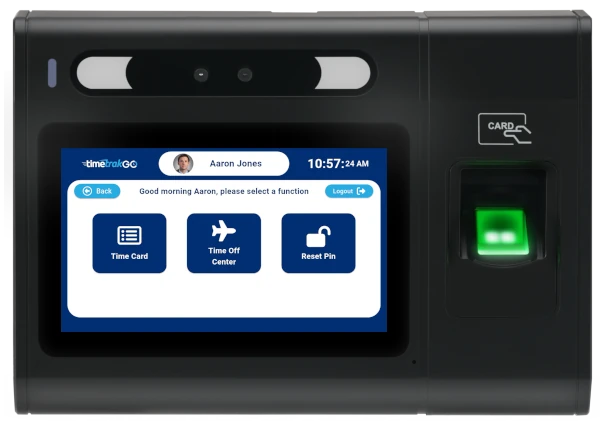
Wherever a badge would get lost, shared, or left in a truck.

Manufacturing & Warehouses
Handles dirt, grease, and moisture on the shop floor while still reading hours accurately when hands are not clean.

Healthcare Offices
Accurate tracking for clinical and administrative staff, without shared badges or codes that are easy to pass along.

Retail & Hospitality
Stop time theft at the register and cut payroll discrepancies across shifts where turnover makes manual tracking hardest.

Professional Offices
Lean teams still need accurate records for billing and payroll, without the overhead of a full HR system.
Verified hours, straight into payroll.
TimeTrakGO exports verified hours to your payroll provider, cutting out manual re-entry and the errors that come with it.
Because pay is based on actual clocked time, you are not covering early clock-ins or late clock-outs that never happened, and rounding rules apply the same way every time instead of being estimated by hand.

Fingerprint time clock questions.
Core system & performance
- Processor 8-core
- Operating system Android 10
- Recognition speed < 1 second
- Memory 2GB RAM / 16GB ROM
- Capacity 20,000 templates
Display & interface
- Screen 5″ TFT LCD capacitive touch
- Resolution 1280 × 720
- Aspect ratio 16:9
- Feedback LED, speaker, microphone
- Input Soft keypad via touchscreen
Connectivity & authentication
- Wi-Fi Dual band 2.4G/5G, 802.11 a/b/g/n/ac
- Ethernet 10/100 Mbps RJ45
- USB USB 2.0
- RFID / badge 125kHz (EM4100)
Power
- AC power 12V, 1.5A adaptor
Environmental & physical
- Dimensions 7.79″ W × 5.47″ H × 2.12″ D
- Operating temp 32°F to 113°F
- Humidity 5% to 80% non-condensing
It's GO Time.
Our lowest GOtime5 price ever will be revealed Monday, August 31. Rated Best Value and Best Customer Support on Capterra, and trusted by small businesses around the world.
Our lowest price ever on the GOtime5, $475 instead of $549. Rated Best Value and Best Customer Support on Capterra, and trusted by small businesses around the world.
Finally, employee time clock software that is simple to use. Rated Best Value and Best Customer Support on Capterra, and trusted by small businesses around the world.
Sale begins Monday, August 31 · Free setup and training · (888) 321-9922
Sale price applied automatically · Free setup and training · (888) 321-9922
No credit card required · Free setup and training · (888) 321-9922
