
The Physical Time Clock That Works With QuickBooks
Simplify Employee Hours & Payroll with a Dedicated Physical Time Clock Device.
Inaccurate timesheets, payroll headaches, and employees punching in for each other are common problems with manual tracking.
A physical time clock system gives small businesses a simple, reliable, and secure way for employees to clock in and out at a central location
Starting at just $549 the TimeTrakGO RFID time clock is a cost-effective time and attendance solution for any size business.
$549.00
excl. Tax
Free Shipping (Contiguous United States)
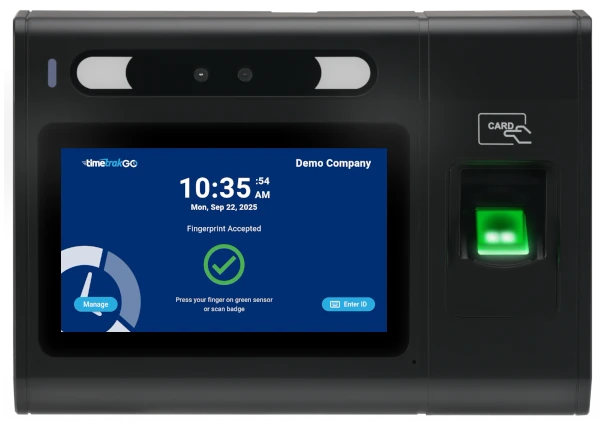
Reliable & Easy to Use: Simply Clock In
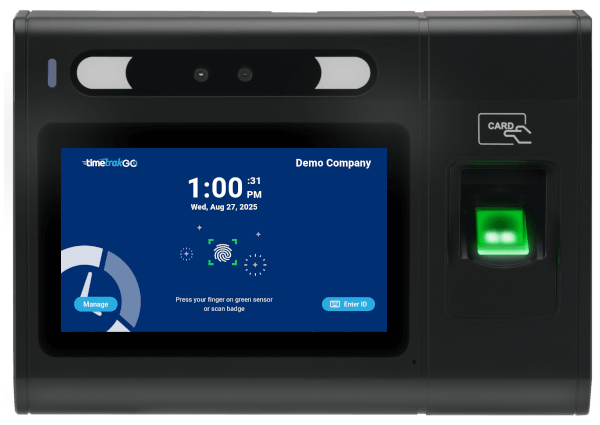
For streamlined and secure clock-ins, TimeTrakGO provides a dedicated physical time clock. Employees simply interact with the device directly, ensuring clear and accurate time recording.
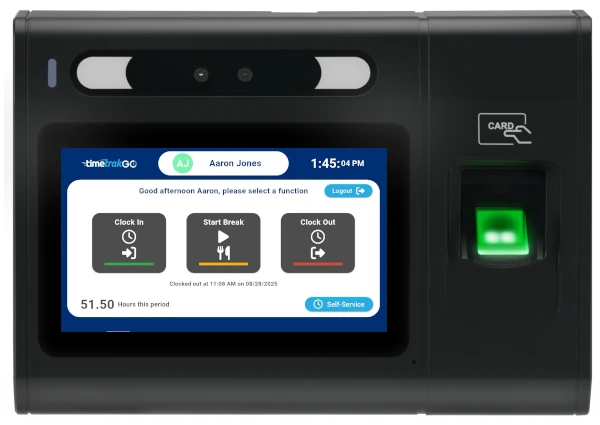
Our GOtime5 captures employee work hours reliably in real-time, so you’ll have instant visibility into your teams worked hours.
Accurate Payroll Data for QuickBooks, Gusto, and More
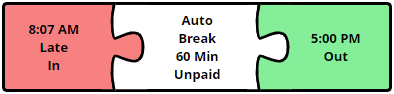
Stop wasting time on manual data entry for payroll. TimeTrakGO’s software integrates directly with your physical time clock, providing accurate, real-time data for your payroll processing.
- Physical Time Clock for QuickBooks: Easily send verified employee hours from your TimeTrakGO device straight into QuickBooks, eliminating manual calculations and errors.
- Physical Time Clock for Gusto Payroll: Streamline your Gusto payroll processing with direct data transfer from your TimeTrakGO physical clock, ensuring accurate and efficient payments.
- Works with Many Other Payroll Services: TimeTrakGO also works with many other payroll services, including ADP, Paychex, Sage 50, Paylocity, Heartland, and countless others that support CSV exports.
Real-time Reporting Dashboard
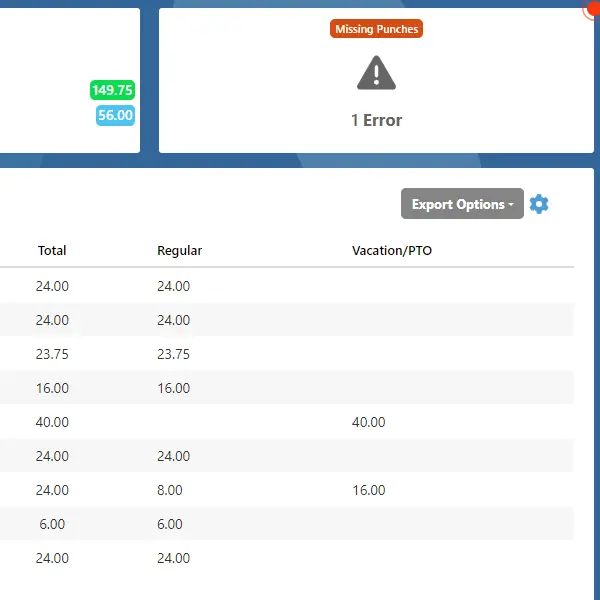
The dashboard flags missed punches from the physical clock as soon as they happen, instead of you finding out during payroll.
A supervisor can review and correct a missed punch right from the dashboard in a couple of clicks, no digging through paper records or calling the employee to ask what time they actually started.
Self-Service Built Into the Clock
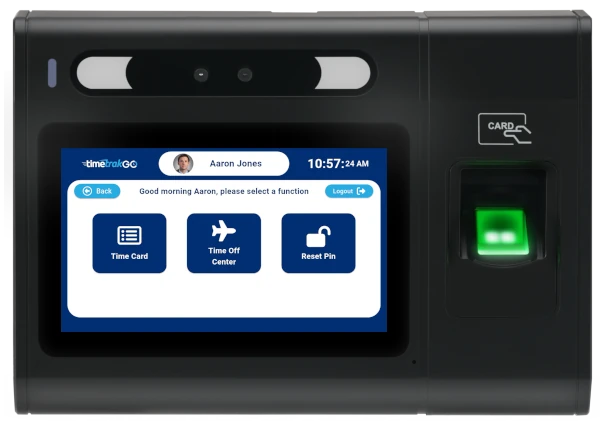
Employees can pull up their own time data right at the clock, daily and weekly hours, punch details, and running overtime or PTO balances, without asking a supervisor to look it up.
Employees can also submit time off requests electronically, right from the physical time clock or through the TimeTrakGO mobile app, so a request doesn’t get lost in a text message or a sticky note on someone’s desk.
What Businesses Benefit from a Physical Time Clock?
A physical time clock makes sense for small businesses that need one fixed spot for everyone to clock in, especially where mobile apps or computer-based punching aren’t practical.
Manufacturing & Factories: Provides a sturdy, reliable punch-in station for all shifts, ideal where mobile device use may be restricted.
Retail Stores: A visible, fixed point for all employees to clock in/out, ensuring consistent time tracking for staff.
Healthcare Offices: Offers a dedicated, easy-to-clean device for accurate time tracking in a professional environment.
Restaurants & Hospitality: Ensures quick, accurate clock-ins during busy shifts for kitchen staff, servers, and front desk personnel.
Corporate Offices: A simple, efficient solution for centralizing time tracking for all employees in a shared workspace.
Any business with a fixed location where employees consistently report for work.




Physical Time Clock
Frequently Asked Questions
TimeTrakGO
Time Clock Software Benefits
Employee Time Clock Options
Integrate various clocking options for your entire workforce.
Finally, employee time clock software that’s simple to use.

Capterra
Shortlist
2026

Software Advice
Best Customer Support
2025

Software Advice
Front Runners
2026

Capterra
Best Value
2026
